
This entry is part 8 of 9 in the User Submitted Image Galleries Series
- User Submitting Gallery Images – Part 1
- User Submitted Gallery Images – Part 2
- User Submitted Image Gallery – Part 3
- User Submitted Image Gallery – Part 4
- User Submitted Image Gallery – Part 5
- User Submitted Image Gallery – Part 6
- User Submitted Image Gallery – Part 7
- User Submitted Image Gallery – Part 8
- User Submitted Image Gallery – Final Overview
In this final part of the User Submitted ImageGallery tutorial series, we will look at adding just a couple more features to our gallery system. We are going to add the ability to view all images by a particular user. This will be done by clicking on the name of the author when viewing a single image’s details. When the user’s name is clicked, the regular gallery layout will be displayed, but it will only show images by the specified user. This will allow our gallery to act as a sort of “portfolio”.
The first thing we will do is add a link to the text that previously said “Image uploaded by {user’s name}”. You can see the result in the screenshot below.
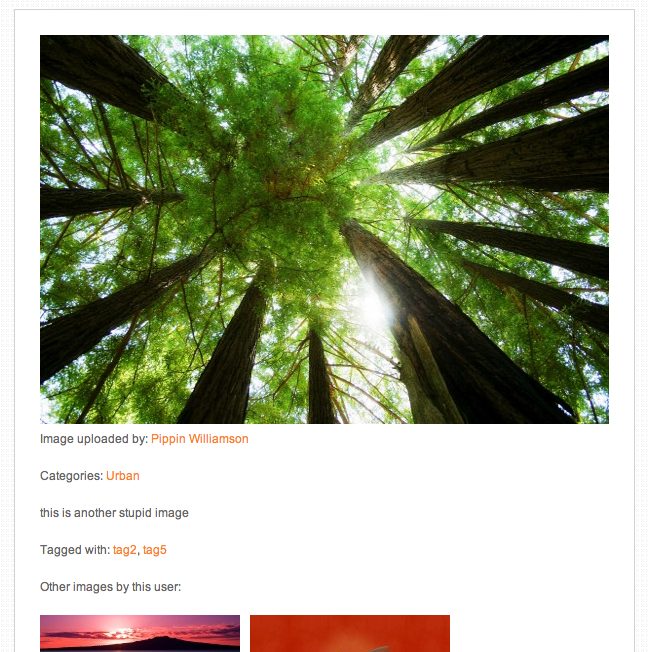
When the image submitter’s name is clicked, it is going to take the user back to the gallery page, but will also add a query variable that will hold the user’s ID number. This query variable will be used to limit the images displayed in the gallery to only that user.
Open the includes/template-functions.php file and locate line 11, which looks like this:
1 | $output .= '<p>' . __('Image uploaded by:', 'uig') . ' ' . get_the_author() . '</p>'; |
We want to replace the user’s name, outputted by get_the_author(), with a linked version of the user’s name. To do that, update the line above with this:
1 | $output .= '<p>' . __('Image uploaded by:', 'uig') . ' <a href="' . add_query_arg('user', get_the_author_meta('ID'), home_url('gallery')) . '">' . get_the_author() . '</a></p>'; |
The URL is generated with the add_query_arg(), which allows us to pass a query name, a value, and the existing URL to which append our new variable. The existing gallery URL is built using the home_url() function, with the slug of the page we want to link to passed as a parameter.
Our final URL will look like this:
http://yoursite.com/gallery/?user=1
It’s not exceptionally elegant (in terms of nice looking URLs), but it works really well. If you would like more information on how to create “pretty URLs” for your custom query variables, check out the WordPress Rewrite API series by Abid Omar.
The next thing we need to do is update our gallery display short code. Once complete, our gallery (when filtering by an author) will look like the screenshot below:
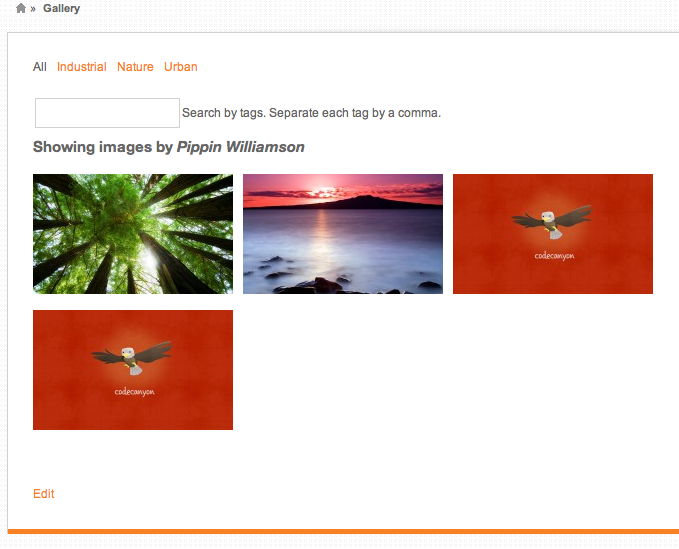
Notice that we have a header that notifies the user that they are viewing all images by a particular user.
Open includes/shortcodes.php. The first thing we need to do is pass an optional parameter to our query arguments if a specific user ID is requested. We do that like this:
1 2 3 4 | // show images from a particular user if(isset($_GET['user'])) { $image_args['author'] = $_GET['user']; } |
This little snippet should go directly above our get_posts() query. Together with the get_posts() and previous parameters, our code looks like this:
1 2 3 4 5 6 7 8 9 10 11 12 13 14 | // main image query $image_args = array( 'post_type' => 'uig_image', 'numberposts' => $per_page, 'offset' => $offset, 'tax_query' => $tax_query ); // show images from a particular user if(isset($_GET['user'])) { $image_args['author'] = $_GET['user']; } $images = get_posts($image_args); |
All this does is set the author parameter equal to the ID of the user we have passed in our query variable.
If you test your gallery now, you will see you can view all images by the specified user. What we need to do now is add in an indicator that makes the user aware of the fact that they’re only viewing a particular author’s images. We can do that by adding this just below our tag search field:
1 2 3 4 5 | // show "by user" message if(isset($_GET['user'])) { $userdata = get_userdata($_GET['user']); echo '<h4 class="images-by-user">' . __('Showing images by', 'uig') . ' <em>' . $userdata->display_name . '</em></h4>'; } |
This uses the get_userdata() function to retrieve the user info for the ID we passed in the URL, and them outputs the display name for the user.
That’s it! Our User Submitted Image Gallery is now complete! I will be posting one more part that will give an overview of everything we have covered in this series. In the overview, I will also discuss some short comings of what we have built and possible ways to get past them, as well as other ways to improve the plugin.
Hello i just became a premium member today and downloaded the plugin but it does not look the same way it puts one pic and paginates the rest no columns or anything. Help!!
Can you show me an example?
Thanks for the plugin, looks promising for my needs.
Anyway, I just try it on fresh install, testing few images and it works fine. But when I click the user portfolio link, it goes 404.
Any ideas? What did I miss?
The user portfolio view isn’t built into the plugin out of the box, you need to build that into your theme, as is described in this part of the tutorial series.
Really sorry, as I’m having a hard time digesting the tutorial. I can do some templating, but not quite understanding plugin yet.
Does this mean I have to code custom author.php template and put some functions in it?
No, you won’t modify author.php. You will create a page that has the gallery short code on it and that page will display the author-specific images based on the ?user=X query argument.
Have you gone through each part of the tutorial series? The plugin is meant to be a starting point, not one that is ready for plug-and-play. Going through each part of the series will help show how it works.
I did make a new page and put the gallery shortcode on it. It works fine, however, everytime I click the uploader link on individual image view, it goes 404.
What’s the URL it goes to?
?user=1 as you pointed in the tutorial. I’m using twentyfourteen theme.
Sorry, your last comment got flagged as spam so I missed it. Are you still needing help with this?
Oh, I see. Yes, please.
Helmi, hi. I have the same problem. Have you had any success solving this?
Ah, sorry Milena. I wish I had the brain to sort it out myself. I was hoping Pippin would take a look, but I guess he’s busy.
Helmi Aditya – I have figured out the issue with the author link.(!) You need to change the main gallery page to “gallery” and now the link works:) (I temporarily named it “user image gallery” before, so gallery/?user=1 led to a 404 page.)
Hi Pippin,
I’ve written this question a couple of times but could not post it for some reason.
Thanks for the plugin, I’ve downloaded and installed it on my site and everything works pretty cool. I am having the same kind of issue as the previous commenter- when I press on the user name I am getting the error page. What can it be?
Thank you for the tutorial and the plugin.
Hello Pippin, did you get a chance to check the code?
I cannot use this plugin if there is a bug like that, and I spent all this time (and money) on it. Can you please help me out?
I am not the only one with this issue, as I said. There are ther people who registered to the site and did this tutorial who are waiting for a solution ot at least an advice – what to do.
I’ve responded to your comment on the overview post. Let’s please keep it there, thanks! https://pippinsplugins.com/user-submitted-image-gallery-final-overview/comment-page-1/#comment-384333