
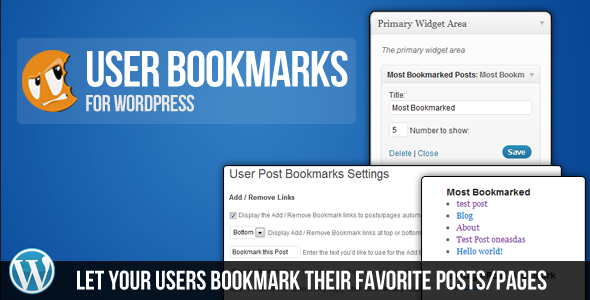
User Bookmarks for WordPress is a complete bookmarking system that gives your users a way to save their favorite posts to their own personal bookmarks list. The plugin is fully ajaxed for a nice, smooth user experience.
Features
- Allow logged-in users to bookmark their favorite items
- Each user can view a list of their bookmarks
- Ability for logged-in users to delete bookmarks
- 3 widgets included
- Bookmark Control Widget to show Add / Remove Bookmark
- User Bookmarks List to show the currently logged-in user’s bookmarks
- Most Bookmarked Widget to show the most often bookmark posts, pages and custom post types
- 3 short codes included
- Bookmark Links to show Add / Remove Bookmark links for logged-in users
- User Bookmarks List to show the currently logged-in user’s bookmarks
- Most Bookmarked Lists to show the most often bookmark posts, pages and custom post types
- WP Dashboard widget included to display most popular bookmarks across the site
- Template tags also included for each of the 3 functions above
This plugin is perfect for any website that provides a lot of content to its users and wishes to have a way for users to keep track of their favorite info.
Adding and removing of bookmarks is all done with ajax, giving a seamless, no-reload-required browsing experience.
User Bookmarks is a very lightweight plugin that provides a very powerful feature set. The plugin has been developed to integrate perfectly with your WordPress theme, and so only minimal styling is included.
This plugin has been discontinued
Hi there
Plugin looks good – but need one key function which I can’t seem to find.
I understand users need to be registered/logged in to save their bookmarks.
But I’d like them to be able to see the ‘Bookmark this post” even if they are not logged in – so that they know that this is an option for them. Then they would be asked to register or log in before they can bookmark. Is this possible with your plugin?
Also, does it allow bookmarking of custom posts?
Thanks in advance for your reply 🙂
Are you comfortable making a couple of minor changes to the PHP?
Yes it allows bookmarking custom post types.
Hi, thanks for your reply. Yes, we’re comfortable making changes to the PHP .. be grateful if you could provide guidance. Thank you
Sorry for the slow reply. You will want to open includes/display-functions.php and then use the is_user_logged_in() function to check if the user is logged in.
Hello,
Nice plugin. One question. How to limit bookmarks. For example, each user have only 9 bookmarks, if trying to hit tenth, warning pop out, or something like that.
Thanks in advance!
Out of the box that is not possible, sorry.
Hello, I’ve just purchased the Plugin via CodeCanyon. I must say it’s very good plug : both design and functionnalities are clean + the install guide is perfect and clear. I’d like to go further and just customize a bit the list of user’s favorites by adding two things :
– The thumbnail (feature image) in front if the title
– The description of the post right after.
I’m using a template with many taxonomy and custom post types, but the plug works perfect with that : the standard setup I use is the shortcode, but I won’t mind creating a bit of a code, if you helped me. Thanks a lot in advance. cheers.
Can you be specific about what you need help with? Do you know how to display the thumbnails?
I wanted to mimic the result of a standard search query to display the bookmark page in a clean list :
My goal is to display a list of user’s bookmarks on a page : each bookmark would appear with the name of the post, a small thumbnail , a brief description (extract from content just like search results), and eventually, a taxonomy or custom field associated with that post. I also have a class to draw a grey-boxed background behind every bookmark.
I”m sorry but doing that will be much more involved than I assist with.
Sure, of course, I was just giving the details about my plans. I’m not going to bother to build the entire project… this is my part. My only concern was to put the very first code at the right place in your plug : one code for the thumbnail of the post besides the title of the bookmark (maybe using the_thumbnailpost()), and one for the text. Image only would be enough for me as a starter. Cheers and thx.
… oups I forgot, there was this function the_postthumbnail() that I tried to insert in the loop of display-functions.php, but no luck I’m just newbie in php coding here.
I’m not the only one willing to achieve this : from “http://codecanyon.net/item/user-bookmarks-for-wordpress/discussion/544129?page=8&filter=All%20Discussion#comment_4124416”
“Dahlia I see someone asked if adding 150px thumbnails to the bookmark list is possible and you said yes, with some css. Could you list the instructions on how to proceed? Also, could I add a 16px icon before ‘Add to Bookmark’, what would that css be? THANKS. Very excited to use the plugin.”
This is exactly what I’d like to do. I know I have to use the display-function.php and insert a code somewhere for the thumbnail, same for the small icon in front of the “add” link. Could you just give a hint on where to start without messing with the plug ?
Let me chime in here to try to help a little. Here’s a solution that could work.
Make a new page template called “Bookmarks”
In the page template, make a new query… ie: “new WP-Query”
See here: http://codex.wordpress.org/Class_Reference/WP_Query
Then, check out the code already included in User Bookmarks:
wp-content > plugins > user-bookmarks > includes > display-functions.php
Somewhere around line 58 is this code: http://snippi.com/s/pus0p0h
You can use that as a base to create the layout for your bookmark list. Then you can add whatever you want to it, post thumbnail, meta, etc…
I forgot to say the obvious: After you make the template (http://codex.wordpress.org/Page_Templates)
You have to create a page called “Bookmarks” (or whatever you want it to be) in the WP Dashboard, and select the page template you created. Don’t use the user-bookmarks shortcode, instead the template will create the bookmark list via the query.
Thanks a lot for the help. I’ve tried since your answer with no luck. Too much errors, and I messed up with my WordPress installation. But I appreciate, really. I understand the big picture, but I’m unable to put code together to build some page. Regarding author responses that it would have been possible with more ease. Well, I’m decided to hire a developer to achieve this, I think a day will be ok to setup this. Thanks a lot anyway.
How cna i embed tthe [;plugin into a php page? what is the snippit?
The bookmarks links or a list of the items that have been bookmarks?
Hy,
Any chance to remove or hide alert messages.
Thnx in advance,
Luko
Are you comfortable modifying JS files?
Yes, not quite like php and html/css, but i will manage. Just point me on right direction please. 🙂 I assume that is something in bookmarks.js, but….
Hi, great plugin, the only one out there that actually works well with wc3 cache. i was wondering/asking how hard would it be to display a thumbnail beside the bookmark list items? the image would be pulled from a custom field.
can this be done?
I have answered you on Code Canyon. Let’s please keep discussion there.
any way to categories? I found some code on codecanyon ( in someone’s comments). Wondering if there is any other way categories or tags can be integrated? Thanks.
No official method.
Hi,
I would like to purchase this plugin, but I need many types of bookmarks. I have portal with books and movies reviews, I would like to allow users to add for example:
Books to: Read, Currently Reading, Read.
Movies: Watched, Watchlist.
Is it possible to make something like this?
I exactly need something like on Goodreads http://www.goodreads.com/book/show/7157310-rot-and-ruin
under the cover.
No, sorry.
hi there , do you have a demo site with the plugin to see it in action?
thanks
There is a Live Preview button here: http://codecanyon.net/item/user-bookmarks-for-wordpress/544129?WT.ac=solid_search_item&WT.seg_1=solid_search_item&WT.z_author=cgcookie
Hi Pippin,
I’m using the Ninety Ajax Login/Register as you are and like the way you have added a bookmarks tab. I have already created the tab and was wondering if you could tell me what to do add to the logged_in.php to bring up the bookmarks list.
Thanks.
Do you have a copy of the User Bookmarks plugin?
Yes got it from code canyon. Its great plugin.
Can this plugin automatically favorite all of a user’s posts? I want to try to combine this with RCP to allow users to see all of their own posts when logged in, but none of the other users on the site.
Basically a way to show a paid user the history of only their own posts.
No, sorry.
Pippin:
I’m looking for some specific functionality that you might already have in place with either this (Bookmark It) plugin or your “Love it Plugin”… hoping you’ll offer your thoughts.
I’d like a Post Like/Follow plugin that saves a Users “Liked/Followed” posts in the following manner:
(for Users) Liked Posts – Post_IDs -> Saved to user_meta as an array of post_ids
(for Posts) Liked Users – User_IDs -> Saved to post_meta as an array of user_ids
(for Posts) Total User Liked Count ->saved to post_meta as a total count.
Basically I’m trying to create a custom user news feed so I’ll be using these fields in custom WP_Query args… Do you think either of your plugins fits with what I’m looking for in how they save their data?
Thanks,
JW
Hi
I am willing to make purchase can u pls confirm em its is working with latest wordpress edition and IS it working with Custom Post Type if it is not working Can I make small change and make it workable for custom post
It would be great if you could bookmark subjectives as well. For example, bookmarking tags, blog categories, locations, event categories, etc… etc… Wish I knew how to make this happen.
Hi,
This is a great plugin! I have a query – Can the posts I have bookmarked be exported to a PDF / printed.
E.g. – The user has bookmarked some posts, which she now wants to print out for offline reading, or send to her team as a newsletter. How can this be done?
I have seen something similar in Drupal. There is a project – ‘Managing News’, where they use a Channels module to get the bookmarked posts printed / PDF exported.
Thanks in advance for your help.
No, sorry, that is not supported.
Quick question: I’d like to show the number of bookmarks for any given post right next to the “bookmark this” link, so pretty much like the fav count in a tweet. Is that possible (or easily achieved by modifying the code)?
Yep, there is a function for that.
Right, works nicely. The count doesn’t update though right after bookmarking, only after a page refresh. Would be a nice addition, as it gives instant feedback to the user about his action.
I’m experiencing a strange behaviour: Deleted posts still appear in the list of most favorited bookmarks (both the case when they are in Trash and when they are deleted permanently). Bug or am I missing something?
That is a known issue. At this time there is not a way to prevent that, sorry.
For anyone else struggling with this: The workaround is to log into the database directly and set the respective postings’ bookmark count to 0.
1. Is it posible to use this plug-in for non-logedin users?
2. Can we make an ouput of favorites in a string plain text. Whit a shortcode or php? Like POSTNAME, POSTNAME, POSTNAME etc..
Thx.
No, sorry.
Pippin,
Can I use this plugin with Restrict Content Pro? I’d like to create a content aggregation site with free membership. For a membership upgrade they can save content and then access it. Then of course, I’d like them to be able to share that content but that comes later…
Hi Brad,
I’m not quite sure I understand what you’re asking. Could you elaborate a bit on what you’re trying to do?
Hi There,
just letting you know about a bug, v1.0.8.
In includes/shortcodes.php ln 43, you’re assigning a default value of ‘Bookmark this Post’ as the number of most bookmarked posts to return. This causes the shortcode to fail silently if the user does not pass in the number attribute.
Cheers!
-m
Hi,
I was wondering if you could bookmark user profiles/members rather than posts?
Can’t seem to find a solution for this.
Thanks!
No, sorry.
Hi,
I see you have now removed this from CodeCanyon. Would it be possible to send me the docs since I’m unable to download it again to get them.
Thanks, Jordan.
I’ll be happy to answer any question you have about it here.
Is the bookmarks plug-in no longer available for purchase?
Sorry, it was discontinued yesterday. The owners of the plugin decided they no longer wished to maintain it.
Hi, can you recommend me an alternative plugin? I really need this functionality but the plugin is no longer on sale.
Thank you.
There are quite a few possible alternatives on WordPress.org: https://wordpress.org/plugins/search.php?q=bookmarks
I use userpro bookmarks. It’s a premium plugin, about $10 I think. It’s good though.
Hi,
How can I let member to my site share the collection they have created with other members and/or non members? Is this possible and how do I set it up?
Thanks
I’m sorry but there is not an option for that.
Hi,
Another question how can I display or show the web address to bookmark collection that the users has created?
Thanks
I need this plugin my one theme uses this plugin and i cannot buy it from codecanyon where can I buy it now?
I’m sorry but this plugin is no longer available.