
Sugar Modal Windows provides an easy-to-use interface for creating Modal popup windows for your WordPress powered website.
This plugin has been removed from Code Canyon and is no longer available.
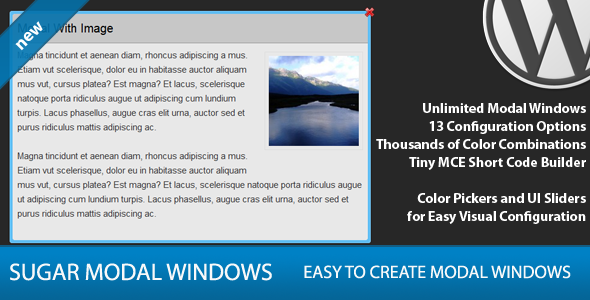
Sugar Modal Windows provides an easy-to-use interface for creating Modal popup windows for your WordPress powered website.
This plugin has been removed from Code Canyon and is no longer available.
The modal buttons are showing up but nothing happens when I go to click on the button. Do you know what is going wrong?
http://oneseedexpeditions.com/popup/
You have a lot of javascript errors on the page. Can you test without any of your other plugins activated?
Is it possible to open the modal window at the page load without having to click on a button ? With also a simple test for returning visitors so we won’t annoy them ?
Thanks
Oh yeah it’s possible, i didn’t read the entire feature list. Thank you anyway 🙂
How can I use an image as a modal link. I tried wrapping the custom tag around an image but that does not work. such as:
IMAGE
I’m looking for something like this that works :
[modal-link name=”modal1″][/modal-link]
Place the image HTML tag in between the two short codes.
Thanks for this great plugin. I solved very important problem…
Hey Pippin,
I’m having some trouble creating a hyperlink within my modal. I want to use an image to link to an external page, however no matter what kind of link I try to create it won’t work. The modal seems to strip away any of my HTML from creating a link :(. Any suggestions?
Fixed my own problem but I wanted to report the bug:
If you have the [close][/close] tags below the the closing tag will be stripped out rendering the link useless. You have to put the [close][/close] tags above the link, sample:
Broken:
click me
[close][/close]
Fixed:
[close][/close]
click me
Sorry for spamming your wall, this isn’t fixed. The thing I want to use as the link is used to close the modal rather than link to the external site like I was hoping. Sorry for the spam, hope this helps.
I’ll have to look into that to see if I can fix it.
Hi Pippin,
Awesome pluggin. Just wondering if it is possible to autoclose a YouTube video after the video is over?
Thanks,
Doug Ward
No, sorry.
Hi Pippin,
Great plugin, thank you!
I’m wondering if you can help…I’m having issues with the pop-out/lightbox effect – probably some javascript errors, but I’m a novice and have no idea how to fix them. Please help if you can.
Thanks.
http://www.kidsclub.org/test/
As a quick test, could you please switch to the default Twenty Twelve theme and tell me if that resolves it?
Sorry for the stupid follow up question, but switching themes back and forth won’t mess things up at all, right?
Correct, no damage will be done.
Yes, the text produced the correct pop-out when I switched to the Twenty Twelve theme, though the pop-out did not work with the button.
Does this mean my theme is not supported by your plugin?
Thanks.
ian
Sorry, I missed your reply.
Correct, it means your theme is incompatible, most likely due to a query conflict from loading query incorrectly.
Hey Pippin, if you go to a page and click on a modal button that opens the window, the very first time you do so, that modal window shoots the page to the top of the screen. This only happens on the first time you click any modal, every time after that the modals stay put. How do you correct this?
Could you show me a live URL?
Sure thing, here is an example of the first modal that is clicked making the page jump to the top: http://gxprogram.com/advisoryboard click on one of the ones toward the bottom of the page first so you’ll see it for sure
Any thoughts on the modal jumping to the top of the page?
Hmm, that is interesting. My guess is this is happening due to some javascript inside of your theme.
As a quick test, can you switch to one of the default themes? Just to confirm if it is a conflict with your theme.
Awesome plugin! Love it!
I am, however, having a problem setting up two modals on the same page. Is that not possible? As long as I only show one modal on the page, everything works like a charm. Ideas?
Thanks,
Kimberly
Two unique modals or two of the same modal?
No, two unique modals. Example: launching one modal to play an iframed video from one link and in the next paragraph launching a different modal to play a different iframed video.
I haven’t succeeded in getting that to work yet.
Could you give me a live URL that I can take a look at?
Is it possible to open a modal when a form is submited?
No, sorry.
Hi Pippin,
Pre sales question and after watching your video, I believe the answer is yes…but to be safe:
I have one page which I’d like to link to 20 different modals. They’d all have the same text link, but go to different modals.
Possible?
Thank you,
Kelley
Different modals on that page or different modals on other oages?
Thanks for quick reply. Specifically, I will have a page that will have a list of projects (say 15) and each will have a modal link to open up more info about that project (picture and text).
I suppose a better question is, can there be multiple links (text, button, etc). on the same page which open up different modals (or even the same, if that was desired).
Thanks!
I should add further clarification, that I will have multiple pages (5-6) and each page could have 10-15 projects, each one linking to a different modal. So, there could be as many as 60 + modals (only one open at a time).
Sorry for flurry of replies 😉
Yes, you can do that, both multiple modals and multiple links to open the modals.
Hi again Pippin – last question before I purchase the plugin. Will it work in IE9+
Thanks,
Kelley
Yes it does!
Pippin,
Last question (I hope)! Client wants there to be a link in the modal window to another page on the site. So, when this link is clicked, does the modal window automatically close and the new page loads? Or, what is the behavior?
And thanks for reply above. Doh, I tried it myself AFTER posting and it worked fine.
Kelley
Glad to hear it!
Pippin — do you have an answer for this; I can purchase plugin tomorrow if we get this resolved (actually I’ll buy it 2x):
Client wants there to be a link in the modal window to another page on the site. So, when this link is clicked, does the modal window automatically close and the new page loads? Or, what is the behavior?
Kelley
Ah, sorry, it looked like you had edited your comment to say you figured it out. I must have misread.
When a link to another page is clicked from within the modal, the modal will remain open until the new page loads.
Hello Pippin,
Question with “Sugar Modal Windows”. I just noticed on my site that the window isnt centered on the screen when selected. I dont see any type of setting for this. When possible can you look at this.
http://www.skydivenewjersey.com
On the right side bar under Skys the limit Directory select:
Directions
use the scroll bar and select:
Local Hotels Campgrounds & Dining
each one of these lines up low.
Thank you,
64coach
My first guess is that it’s coming from your theme. As a quick test, does everything work fine with the default Twenty Twelve theme?
Pippin,
Did you have a chance to link to the site and view it? I ask only because now it seems to be working fine. Just wondering if you saw the window display low on the page or not. But its working now maybe just a hiccup occurred.
Thank you for your help,
64coach
See my reply above.
Hi Pippin! Question, does it support html? I am unable to add the shortcode on raw html box. =<
Yes it does!
What happens when you try to run the short code?
Pippin, I’m using the Sugar Modal plugin on a new site. Loving it so far. Everything works great except for one thing: when there’s more than one different modal on a page. The second one fails to initiate on click.
And similarly, when there are two links to the same modal on any given page, for the second link two modals are layered on top of each other. You need to “X” two of them to get back to full screen.
Any idea how to fix this? I noticed that earlier in this thread you had addressed a similar issue.
Thanks,
John
1. Different modals, not multiple instances of the same modal, correct?
2. If you want to have multiple links to the same modal on a page, you will need to only place the short code once and then use custom links for all other links. The documentation explains how to setup a custom link.
Pippin, thanks for the reply. I’ve set up the first instance of the modal using short code and the second instance of the same modal using the custom link. However, the second instance doesn’t bring up the full modal. Rather, clicking reveals only the top border line of the modal window, plus the red “X”. As well, on click, two of these appear on top of each other, so in order to close, you need to x one and then the other underneath. The screen is semi-opaque, but twice as dark due to there being two modals open on top of each other.
With a fresh page, it doesn’t matter in what order I click the modals.
Any idea what might be causing this?
There is a second modal on the page (different modal, not just different instance of same as for above) added using shortcode, but it appears normally and doesn’t seem to affect anything else.
Hmm, it could be a couple of things. Could you show me a live URL?
Is it possible to insert a subscription form into the modal so people can sign-up from the modal?
Yes it is!
Cool Beans! I’m heading over to get it now 🙂
Thanks Pippin.
Hi Pippin:
I am using the Divi theme for my “front end” and it is responsive. If I have the link to the modal further down the page, the popup will “appear” invisibly above the location of the button, and so appears not to be working.
It is, but it is out of view. How can I ensure the popup window floats properly in view of the user?
You can see how this works on this page… where the modal is placed further down the page. Since the page is not huge at this stage, do scroll all the way to the bottom before clicking the button:
http://www.ngo-academy.org/
If you are high enough on the page you will see it. If down the bottom, it doesn’t show. Solutions?
As a quick test, does it work fine with one of the default themes?
Hey everyone,
I have decided to discontinue this plugin. It was one of the first plugins I wrote and served many people very, very well.
I have, however, become too busy to adequately maintain this plugin going forward. I have opted to discontinue to plugin instead of allowing users to suffer from sub-par support and maintenance of the plugin.
I am sorry if this comes as bad news to anyone but it is time for me to further narrow my focus.
Thanks!
Awe darn! I love this plugin!
Where might I find out how to get the window to open in the center “view” of the viewers screen no matter how far down the page a viewer has scrolled or how far down the button/link for the modal is placed? The modal currently displays at the top of the web page no matter where the link is on the page.
Will you be creating a new modal plugin?
Thank you for your fabulous work!
Sheri
Sheri, I saw the support ticket you submitted and will reply as soon as I am able. I traveling at the moment so there will be a longer than usual delay.
Thanks so much, Pippin. Enjoy!
Hello Pippin!
I bought this from you when it was on TF.
( at least I hope this you 🙂 )
It has been removed from my downloads.
Is there an update or any way I can re-download it?
I CAN and WILL provide you with the purchase code.
Sorry but this plugin has been fully discontinued.