Pippins Plugins
  • Email
  • Facebook
  • Feedburner
  • Github
  • Google
  • Twitter
  • Vimeo
  • Youtube
  • Rss
  • About
  • News
  • Join the Site
    • Member Benefits
    • Member Plugins
    • Email Notifications
  • Plugin Store
    • Affiliate Area
    • Checkout
  • Plugins
    • Plugin Portfolio
      • Plugin Portfolio – List View
    • Free
    • Premium
    • Member Plugins
    • Coding Standards
    • Get Plugin Support
  • Tutorials
    • Series
      • Plugin Development 101
      • Creating a User Follow System Plugin
      • Customizing Restrict Content Pro
      • Displaying Content with Easy Content Types
      • Writing Your First WordPress Plugins, Basic to Advanced
      • Working with Widgets
      • User Submitted Image Galleries
      • Plugin Thoughts
      • Integrating Stripe.com with WordPress
      • WordPress Rewrite API
    • Member Exclusive
      • Free Members
      • Subscriber Only
    • Difficulty
      • Beginner
      • Intermediate
      • Advanced
    • Action and Filter Hooks
    • Ajax
    • Custom Post Types
    • External APIs
    • Short Codes
    • Taxonomies
    • Video Tutorials
    • Widget Tutorials
    • WordPress Admin / Dashboard
    • Working with jQuery
    • WordPress Database
    • Writing Plugins
    • Tag Index
  • Reviews
  • Support Forum
  • Contact
    • Support the Site
    • Request Code Review
    • Plugin Support

Simple Notices Plugin

Posted on January 26, 2012 by Pippin in Free, Plugins, Utilities 58 Comments
Home» Plugins » Free » Simple Notices Plugin
Tweet
Love It - 7

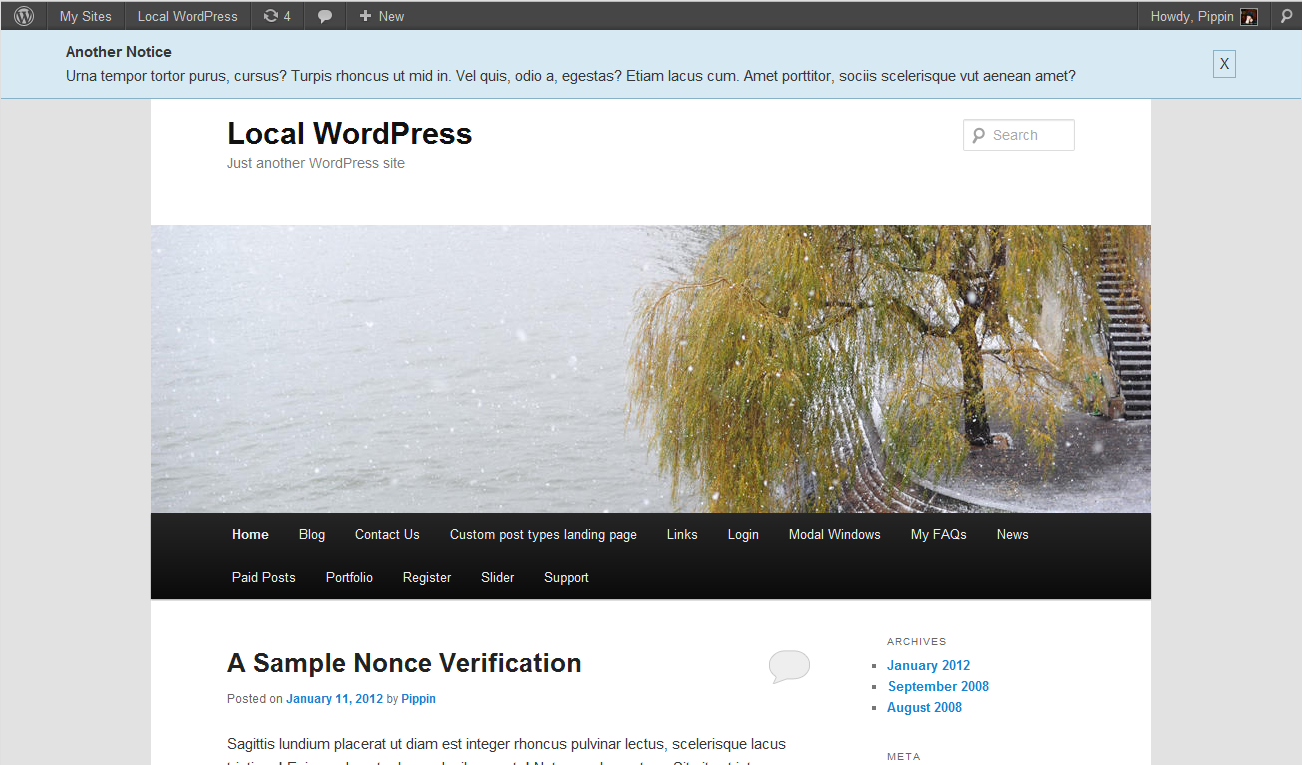
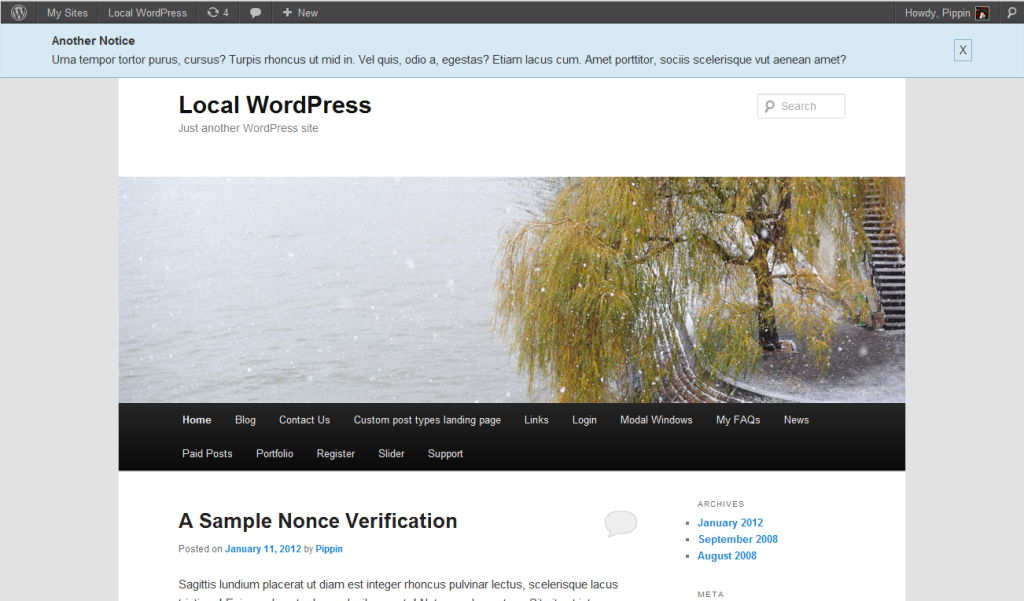
This is a simple plugin that adds a notification system to your WordPress via custom post types. Simple Notices gives you a way to make announcements that are displayed site-wide at the top of your site. Use this plugin to keep your users up to date about important announcements on the site.

Notices are displayed with fixed positioning, meaning that they will overlap the rest of your site’s contents. Each notice includes a close button that allows the current user to hide the notice, and if the user is logged in, the notice ID will be permanently stored in their user meta, and so will never shown again. If the user is not logged in, the ID of the notice will be stored in a cookie.

Notices can be set to only be shown to logged-in users.

Five colors are included:

  • Blue
  • Red
  • Orange
  • Green
  • Gray

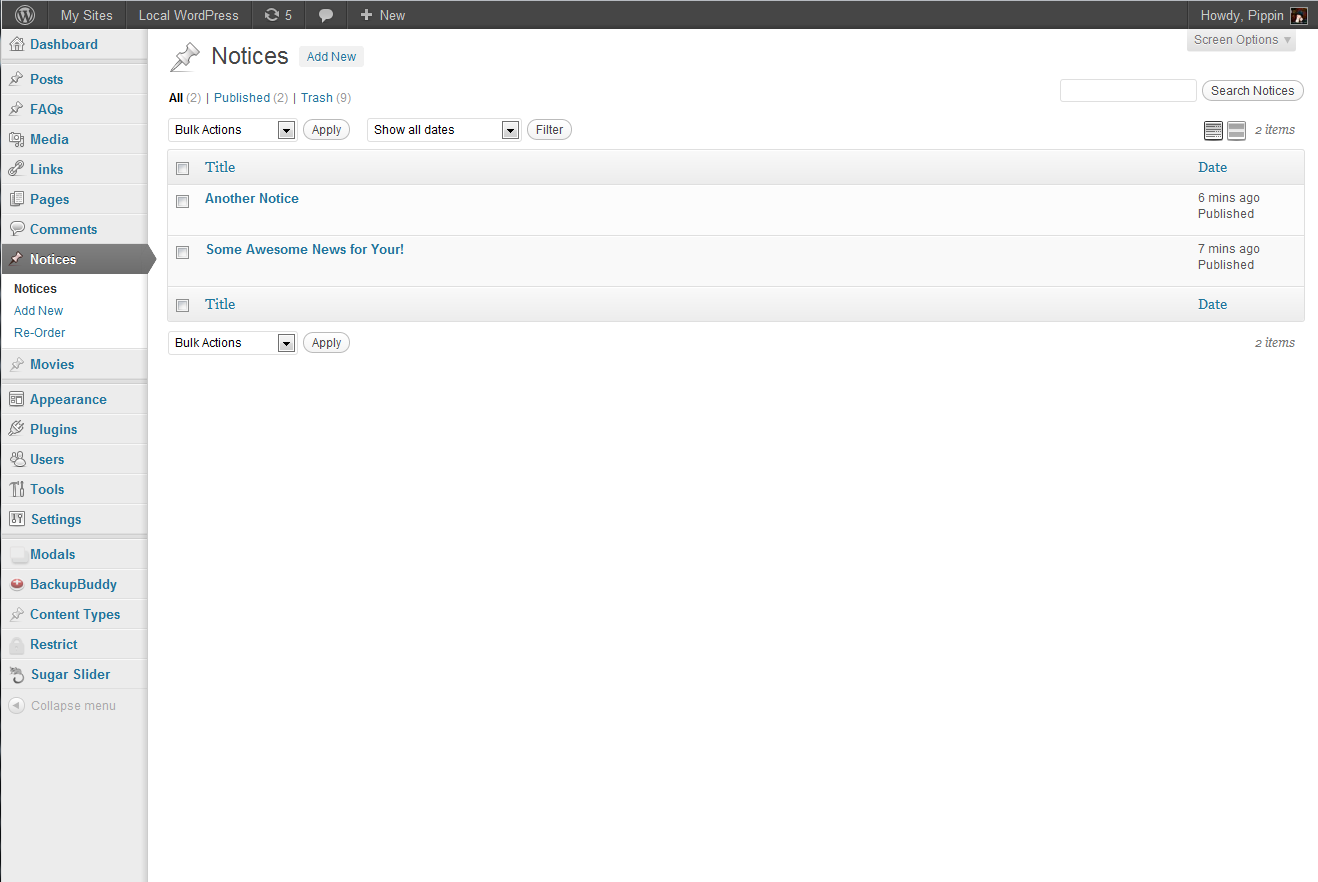
Screen Shots

screenshot-1
screenshot-2
screenshot-4
screenshot-5
screenshot-6
screenshot-7
A Pro version of this plugin is available here.
Download Plugin
Tweet Follow @pippinsplugins
announcement, notices, notifications, simple

58 comments on “Simple Notices Plugin”

  1. hb says:
    January 26, 2012 at 5:36 pm

    Very nice, but unfortunately it doesn’t wprk for me. The notice just won’t show up.

    Reply
    • Pippin says:
      January 26, 2012 at 5:40 pm

      Does your theme have the wp_footer() function in footer.php? This is required.

  2. hb says:
    January 26, 2012 at 6:00 pm

    It’s the mandigo theme. Yes, it does have that function in the footer.php.

    Reply
    • Pippin says:
      January 26, 2012 at 6:02 pm

      Are you logged in or out when trying to view the notice?

  3. hb says:
    January 26, 2012 at 6:15 pm

    Aahh yes – logging out does the trick.
    Will have to install a second browser for test view purposes.
    Thank you for pointing me there.

    Reply
    • Pippin says:
      January 26, 2012 at 6:39 pm

      It should display when logged in as well. I bet I know why it’s not showing and will make an update later this evening.

  4. uprosoft says:
    January 26, 2012 at 6:17 pm

    Really awesome plugin Pippin. Thank you very much… Can I edit it’s functionality to make something different?

    regards,
    Ronny.

    Reply
    • Pippin says:
      January 26, 2012 at 6:40 pm

      Of course you can edit it. What kind of changes would you like to make?

  5. Christopher Wulff says:
    January 26, 2012 at 6:47 pm

    Nice! How would it work if I created a ‘maintenance’ one that I set to published or draft, in terms of the cookie/user_meta? Would I have to create a new post each time to make sure they saw it or would unpublishing and republishing clear the cookie so they would see it each time I made it live?

    Reply
    • Pippin says:
      January 26, 2012 at 7:05 pm

      Republishing will not clear cookies. If a notice has been published before, then it will need to be published again (as a new copy) because the ID of the notice is stored in the cookie/user meta.

  6. FanaticWeb says:
    January 26, 2012 at 6:48 pm

    Simple and straight to the point plugin, seeing that this type of notification can be easily forgotten about (When managing multiple blogs), is there a way to set an auto-remove functionality into it? Let’s say a fixed date or x amount of days?
    Also, does it display any type of content considering it works like a typical post? (Banners, Flash, etc.)
    The Re-Order option: Let’s say we got 3 Notices saved, from what I saw in the video tutorial, only one notice is displayed at a time, what would be the point of reordering the notices if only the latest one will be displayed on the front end?
    Last question, can it be placed at the bottom?

    Good point for making it Fixed position by the way.

    Reply
    • Pippin says:
      January 26, 2012 at 7:07 pm

      There is no auto-remove at this point, possibly later on.

      The Re-Order option is actually part of a different plugin (Post Type Reorder).

      Only the latest notice is displayed.

      It can be placed at the bottom by adjusting the CSS a little.

  7. Ronnie says:
    January 26, 2012 at 7:32 pm

    Is there a way to use shortcodes in notices?
    Nice plugin, Thanks

    Reply
    • Pippin says:
      January 26, 2012 at 7:35 pm

      Just updated to include short code rendering :)

  8. michael says:
    January 28, 2012 at 11:58 am

    Sweet plugin once again Pippin.

    And particularly easy edits of the css for the color styles allow for small image inclusion as additional eye-candy. You were thinking ahead there. ;)

    Thanks for this happy addition to the community.

    Reply
    • Pippin says:
      January 28, 2012 at 1:19 pm

      Glad you like it :)

  9. michael says:
    January 28, 2012 at 12:21 pm

    Quick Question, can’t figure out why notice can’t be closed/hidden when one is logged in.

    Reply
    • Pippin says:
      January 28, 2012 at 1:20 pm

      Do they close but not save? Or not close at all?

  10. michael says:
    January 28, 2012 at 1:33 pm

    Whilst logged in, it will not close. But in a different browser, without begin logged in, they do close. I noticed there was a line of css (when i was mucking about putting in an image) that commented the following:

    /* don’t ever hide for logged-in users */

    Reply
    • Pippin says:
      January 28, 2012 at 11:54 pm

      Sounds like you might be having a jQuery error occurring for logged in users.

      That line of CSS it to ensure that the notice is loaded with display: block upon page load. Non logged in users have the notice load as display:none;

  11. liquidsou; says:
    February 2, 2012 at 3:14 am

    Can you make an option to set the notice viewable by registered users only?

    Reply
    • Pippin says:
      February 2, 2012 at 11:12 am

      I’ve just updated it with an option :)

  12. Gorazd says:
    February 3, 2012 at 7:04 pm

    The plugin was working… but now I can not find it any more on the dashboard…. on the menu….
    Need help cos is a nice plugin!
    Thanks…

    Reply
    • Pippin says:
      February 4, 2012 at 10:49 am

      It doesn’t show at all in the dashboard? Are you sure it’s still active?

  13. Gorazd says:
    February 8, 2012 at 2:06 pm

    yes, it is still active but I can not find it anywhere in the dashboard. I deactivated it, reinstalled it, but still no signs of notices in the dashboard…. :/

    Reply
    • Pippin says:
      February 8, 2012 at 2:24 pm

      Sounds like you have another plugin or something in your theme conflicting. Try disabling other plugins and see if doing so makes them show up.

  14. Gorazd says:
    February 8, 2012 at 4:43 pm

    Still no luck… I deactivated almost everything… deactived all the recent plugins that were installed after the installation of Simple notice (because when installed it was working) …
    last hope is the plguin Plugin organizer that I have already deactivated and deleted but in the folder /wp-content/mu-plugins there is still something going on… I renamed the folder then there wasnt any signs of Plugin organizer any more but still no Simple notices…. :(
    Thank you for your help,

    Gorazd

    Reply
    • Pippin says:
      February 8, 2012 at 4:44 pm

      If you can send me wp login info from my Contact page I can take a look at it.

  15. Gorazd says:
    February 8, 2012 at 4:53 pm

    Sent. Thx!

    Reply
  16. Gorazd says:
    February 8, 2012 at 5:37 pm

    Works now!!! Thank you!!!!! You are great!

    Reply
  17. hb says:
    February 11, 2012 at 2:55 pm

    Got ths running, loved it. But: From version 1.0.3. on it crashes my site. This is the error list I now have on every page: http://www.holgerbarske.com/simple_notices_prob.txt

    Reply
    • Pippin says:
      February 11, 2012 at 8:44 pm

      Please delete and then reinstall the plugin. The repository did something really weird and removed some of the files.

    • Pippin says:
      February 11, 2012 at 8:45 pm

      Hold that. I just checked and there are still files missing from the plugin. I don’t know what the repo did, but something weird happened. Looking into it now.

    • Pippin says:
      February 11, 2012 at 8:50 pm

      Okay, it’s fixed. Now please update to v1.0.5.1

  18. hb says:
    February 12, 2012 at 5:27 am

    Now this is what I call a really excellent support.
    Works now, thank you very much!

    Reply
    • Pippin says:
      February 12, 2012 at 7:35 pm

      Glad to help!

  19. Luison says:
    February 27, 2012 at 8:22 am

    Great Work Pippin. I love it, and it’s just perfect for what i need. But I can’t make it run because the theme i have running it has no footer function and I see in the comments below we need it.
    Can you help? Could I implement the footer function? I have to say I have no much idea of PHP.
    Thanks million ofr your help.
    My theme, Delicate

    Reply
    • Pippin says:
      February 27, 2012 at 8:52 am

      Do you have a footer.php file? If you do then just place this at the very bottom:

      1
      
      <?php wp_footer(); ?>
  20. Luison says:
    February 27, 2012 at 9:08 am

    It’s working!! Thanks a lot Pippin. I agree with hb this a really good support in such a short time!
    It’s a pity I got late to get a chance to win one of your Simple Notices Pro Plugins, but now that it’s working I’m gonna buy one. Thanks again.

    Reply
    • Pippin says:
      February 27, 2012 at 10:04 am

      Thanks! I hope you enjoy the pro version :)

  21. FanaticWeb says:
    March 20, 2012 at 5:29 pm

    Pippin… HELP!
    I installed the Pro version, the close button is not responsive even if I set the slide to No effects, meanwhile, my theme has a built in Carousel and it stopped displaying my featured ads, I disabled your plugin and the Carousel is still not working :(

    I noticed this error displayed in IE 8: Webpage error details

    User Agent: Mozilla/4.0 (compatible; MSIE 8.0; Windows NT 6.0; WOW64; Trident/4.0; SLCC1; .NET CLR 2.0.50727; Media Center PC 5.0; .NET CLR 3.0.30618; .NET CLR 3.5.30729; InfoPath.2; .NET CLR 1.1.4322; .NET4.0C; Creative AutoUpdate v1.40.04)
    Timestamp: Tue, 20 Mar 2012 22:24:45 UTC
    Message: Object doesn’t support this property or method
    Line: 23
    Char: 2
    Code: 0
    URI: http://www.domain.com/wp-content/plugins/simple-notices-pro/js/notifications.js?ver=3.2.1

    For the record, I’m also using Foobar Notification Bars which also displays ticker like messages in the Header, not sure if the conflict is do to both plugins trying to place themselves on top or not.

    On a side note, is there a way to place your plugin anywhere else on the pages using a Shortcode?

    Reply
    • Pippin says:
      March 20, 2012 at 5:33 pm

      First of all, if you could please post support questions related to the Pro version on the pro version’s page, that would be great. You can also post support questions here: http://support.pippinsplugins.com/forums/forum/simple-notices/simple-notices-pro/

      The problem is caused by a jQuery conflict, either resulting from a jQuery problem in your theme or another plugin. It’s probably because your theme is loading it’s own version of jQuery, instead of using the version included with WordPress. Can you post a URL in a support thread via the link above?

  22. FanaticWeb says:
    March 20, 2012 at 9:51 pm

    My apologies, this crossed my mind after I posted it, please remove it if need be and I’ll post it in the Support section, thanks Pippin.

    Reply
  23. dimitris says:
    March 24, 2012 at 7:13 am

    Great plugin(s) !

    Reply
  24. Krisargent says:
    September 7, 2012 at 1:21 pm

    Just installed Simple Notices on my latest project, http://carsonvalleyclassified.com. Satisfied so far. Very thankful to finally find a decent free plugin I can use in the beginning, and upgrade to Pro as it develops legs. Clean, crisp, and no noticeable lag in load time. Thank you!

    Reply
    • Pippin says:
      September 7, 2012 at 2:19 pm

      I’m glad you like it!

  25. jason says:
    October 17, 2012 at 3:26 am

    Hi Pippin, I have some of your other plugins and love you stuff.

    I am looking for something like this but I need to:

    1) display it at top or bottom

    2) display it on specific posts, pages, cats, etc…like your background plugin

    3) display specific posts in the notice, say 3 to 5 posts with a thumb and the excerpt.

    I want ti use it like a news notice, or post specials, etc. Having it display on specific pages is important so I can setup a specific notice for my user dashboard in my member site.

    ANy chance these features could make there way in to this plugin?

    btw…you should look at this jquery plugin http://harvesthq.github.com/chosen/, specifically the multiselect option. I works real nice with the loop, especially when you have to select multiple pages/pots/categories etc.

    Reply
    • Pippin says:
      October 17, 2012 at 11:04 am

      Thanks for feedback Jason.

      Sorry but it’s not likely that those will ever make it in, simply because I’m busy working on many other projects at this time.

  26. Jack says:
    December 6, 2012 at 4:17 am

    Hi Pippin,
    Great plugin! Any chance it could be updated to call it’s css and js in the footer as opposed to the header though?

    Reply
    • Pippin says:
      December 7, 2012 at 4:43 pm

      Maybe the JS but definitely not the CSS since CSS should always be loaded in the footer.

    • Jack says:
      December 8, 2012 at 5:54 am

      That’s fair.
      If that could be done, that would be great.

      Thanks.

  27. Miha says:
    December 11, 2012 at 9:13 am

    Nice & simple solution!

    My Suggestion is to add “menu area or widget area to it”.

    Cheers!

    Reply
    • Pippin says:
      December 11, 2012 at 1:44 pm

      Inside of the notice area?

  28. Kathleen says:
    January 16, 2013 at 5:23 pm

    Great plugin, as I have come to expect! I’ve used it on more than one site. But on a site running the theme Suffusion, the published notice does not display for any users.

    However, If I check the page source, I see the code in there, including the link to allow a user to prevent display of the notice. The css class is “blue hidden” — is that what it should be?

    Also, I have tried editing the footer.php file as instructed, but it did not make the notice visible, so reverted to original file.

    To see the problem in action, visit http://www.sponsorsinc.org — there is no notice visible.

    Reply
    • Pippin says:
      January 17, 2013 at 8:09 pm

      The problem is the hidden class. It’s getting overwritten by your theme. Are you comfortable with editing CSS?

    • Kathleen says:
      January 17, 2013 at 11:29 pm

      Oh, sure. What do you suggest?

    • Pippin says:
      January 20, 2013 at 7:13 pm

      I would locate the CSS in your theme is hiding the .hidden class and simply remove it.

  29. evolute2 says:
    February 25, 2013 at 7:52 am

    Just to say thank you to you for the simple notice, all works well now !
    And thank you too for the very useful EDD !

    Reply

Leave a Reply Cancel reply

Your email address will not be published. Required fields are marked *

You may use these HTML tags and attributes: <a href="" title=""> <abbr title=""> <acronym title=""> <b> <blockquote cite=""> <cite> <code> <del datetime=""> <em> <i> <q cite=""> <strike> <strong>

  • Login

Lost your password?

Please enter your username or e-mail address. You will receive a new password via e-mail.

  • Facebook Become a Fan Like

  • Twitter Subscribe on Twitter Follow

  • YouTube Follow my Videos Subscribe

  • RSS Feed Subscribe with RSS Subscribe

Easy Digital Downloads

Most Loved

  • Love It Pro for WordPress
  • Write a “Love It” Plugin with Ajax to Let Users Love Their Favorite Posts / Pages
  • Simple Notices Pro Plugin for WordPress
  • User Bookmarks for WordPress
  • Front End Registration and Login Forms Plugin

Similar Plugins and Posts

  • Simple Notices Pro Plugin for WordPress

Latest Premium Content

  • Plugin Development 101 – Introduction to Adding Dashboard Menus
  • Plugin Development 101 – Intro to Loading Scripts and Styles
  • User Follow System – Part 5
  • Plugin Development 101 – Intro to Short Codes
  • Plugin Development 101 – Registering a Custom Post Type
  • Plugin Development 101 – Intro to Actions

Latest Tutorials

  • Submitting Your First Pull Request to a WordPress Plugin on Github (1)

    Github is an extremely popular tool for managing WordPress plugins, and one...

  • Plugin Development 101 – Introduction to Adding Dashboard Menus (1)

    Adding new menus, both top level and sub level, to the WordPress Dashboard is a really common task for plugins...

  • Plugin Development 101 – Intro to Loading Scripts and Styles (16)

    In this part of Plugin...

Enter your email to receive automated updates when new posts are published

Latest Tweets

  • @ghost1227 tried that. I&#039;ve been outside cleaning gutters most of the day
    May 18, 2013
  • RT @chris_olbekson: In 3 years your site will still be running jQuery 1.9 while WordPress is running 2.4. Don’t de register built in jQuery
    May 18, 2013
  • RT @chris_olbekson: As @kovshenin just reminded me, as of 3.6 you will no longer be able to de register WordPress built in jQuery #WCATX
    May 18, 2013

Topics

wp_enqueue_script Sugar Event Calendar add_options_page meta box get_user_meta register_setting add_shortcode attachments Rémi Corson hook the_content Tom McFarlin contextual help Related posts do_action mail chimp plugin image login forms authors short codes attachment comments post types bbpress apply_filters recent posts taxonomies short code custom post type gallery images Ajax Stripe taxonomy jquery widgets users add_filter easy content types add_action widget restrict content pro easy digital downloads

Weekly Newsletter

Useful Links

  • Join the Site
  • Plugin Store
  • Affiliate Area
  • Tag Index
  • Support the Site
  • Suggest a Tutorial
  • Random Post
  • Contact

Monthly Archives

(c) 2011 Pippin's Plugins