
In this advanced tutorial we’re going to walk through the process of creating a simple short code to display Google Maps. The concept is simple, but we’ll be using advanced techniques and tools for displaying our maps. All maps will be cached using transients and all requests to Google’s API services will be done with the WordPress HTTP API.
There are a few key techniques utilized to write this plugin:
Most likely you are already familiar with how to register short codes, but just in case you aren’t, the video walks you through how the short code, including several parameters, is setup.
The WordPress transients API is a really simple caching system that lets you easily store data in the database. It’s great to use when doing remote requests (such as Google Maps) so that you are not forced to perform the request every time the page is loaded.
The WordPress HTTP API provides us with an excellent set of tools for performing remote requests. We can send data remotely, retrieve data remotely, and more. In the scope of this tutorial, we’re using it to send an address to Google and retrieve a set of longitude/latitude coordinates back as a response. This is by far one of my favorite APIs in WordPress.
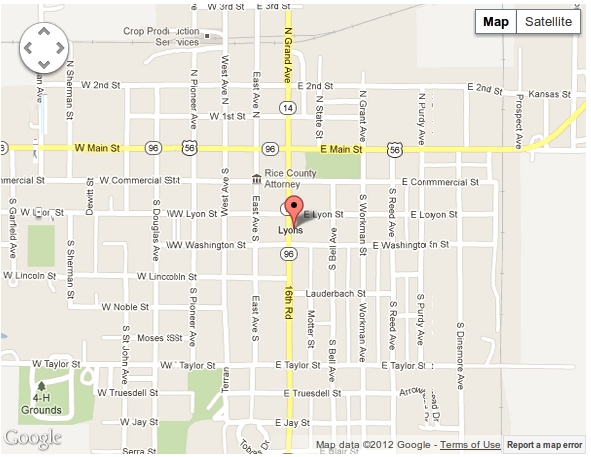
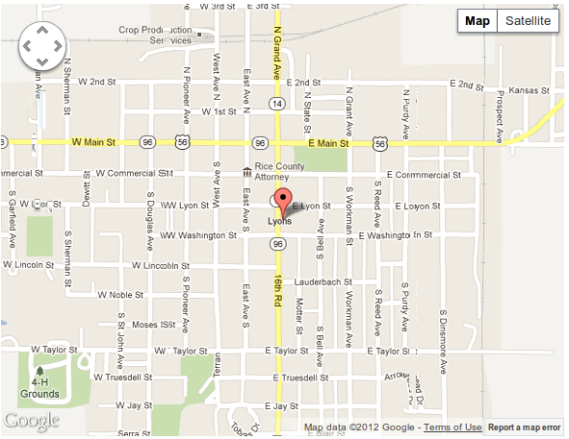
The maps displayed with the short code we’re writing in this tutorial will look like this screenshot:
The complete code written in the video can be seen below. A further improved version of this plugin will be available in a few days, and it will be free to all premium members.
NOTE: Due to Google deprecating version 2 of their maps API, the code below has been updated and is slightly different than shown in the video.
1 2 3 4 5 6 7 8 9 10 11 12 13 14 15 16 17 18 19 20 21 22 23 24 25 26 27 28 29 30 31 32 33 34 35 36 37 38 39 40 41 42 43 44 45 46 | <!--?php /* Plugin Name: Simple Google Map Short Codes Plugin URL: https://pippinsplugins.com/simple-google-map-short-codes Description: Plain and simple Google Maps via a Short Code Version: 1.0 Author: Pippin Williamson Author URI: https://pippinsplugins.com Contributors: mordauk */ /** * Displays the map * * @access private * @since 1.0 * @return void */ function pw_map_shortcode( $atts ) { $atts = shortcode_atts( array( 'address' =--> false, 'width' => '100%', 'height' => '400px' ), $atts ); $address = $atts['address']; if( $address ) : wp_print_scripts( 'google-maps-api' ); $coordinates = pw_map_get_coordinates( $address ); if( !is_array( $coordinates ) ) return; $map_id = uniqid( 'pw_map_' ); // generate a unique ID for this map ob_start(); ?> |
1 2 3 4 5 6 7 8 9 10 11 12 13 14 15 16 17 18 19 20 21 22 23 24 25 26 27 28 29 30 31 32 33 34 35 36 37 38 39 40 41 42 43 44 45 46 47 48 49 50 51 52 53 54 55 56 57 58 59 60 61 62 63 64 65 66 67 68 69 70 71 72 73 74 75 76 77 78 79 80 81 82 83 84 85 86 87 88 89 90 91 92 93 94 95 96 97 98 99 100 101 102 103 104 | <script type="text/javascript"> var map_<?php echo $map_id; ?>; function pw_run_map_<?php echo $map_id ; ?>(){ var location = new google.maps.LatLng("<?php echo $coordinates['lat']; ?>", "<?php echo $coordinates['lng']; ?>"); var map_options = { zoom: 15, center: location, mapTypeId: google.maps.MapTypeId.ROADMAP } map_<?php echo $map_id ; ?> = new google.maps.Map(document.getElementById("<?php echo $map_id ; ?>"), map_options); var marker = new google.maps.Marker({ position: location, map: map_<?php echo $map_id ; ?> }); } pw_run_map_<?php echo $map_id ; ?>(); </script> <!--?php endif; return ob_get_clean(); } add_shortcode( 'pw_map', 'pw_map_shortcode' ); /** * Loads Google Map API * * @access private * @since 1.0 * @return void */ function pw_map_load_scripts() { wp_register_script( 'google-maps-api', 'http://maps.google.com/maps/api/js?sensor=false' ); } add_action( 'wp_enqueue_scripts', 'pw_map_load_scripts' ); /** * Retrieve coordinates for an address * * Coordinates are cached using transients and a hash of the address * * @access private * @since 1.0 * @return void */ function pw_map_get_coordinates( $address, $force_refresh = false ) { $address_hash = md5( $address ); $coordinates = get_transient( $address_hash ); if ($force_refresh || $coordinates === false) { $args = array( 'address' =--> urlencode( $address ), 'sensor' => 'false' ); $url = add_query_arg( $args, 'http://maps.googleapis.com/maps/api/geocode/json' ); $response = wp_remote_get( $url ); if( is_wp_error( $response ) ) return; $data = wp_remote_retrieve_body( $response ); if( is_wp_error( $data ) ) return; if ( $response['response']['code'] == 200 ) { $data = json_decode( $data ); if ( $data->status === 'OK' ) { $coordinates = $data->results[0]->geometry->location; $cache_value['lat'] = $coordinates->lat; $cache_value['lng'] = $coordinates->lng; $cache_value['address'] = (string) $data->results[0]->formatted_address; // cache coordinates for 3 months set_transient($address_hash, $cache_value, 3600*24*30*3); $data = $cache_value; } elseif ( $data->status === 'ZERO_RESULTS' ) { return __( 'No location found for the entered address.', 'pw-maps' ); } elseif( $data->status === 'INVALID_REQUEST' ) { return __( 'Invalid request. Did you enter an address?', 'pw-maps' ); } else { return __( 'Something went wrong while retrieving your map, please ensure you have entered the short code correctly.', 'pw-maps' ); } } else { return __( 'Unable to contact Google API service.', 'pw-maps' ); } } else { // return cached results $data = $coordinates; } return $data; } |
Just an amazing tutorial, love the way you explain clearly, i’m really glad to be a member…
Great to hear, and great to have you as a member 🙂
Excellent tutorial as usual Pippin, an amazing resource for all those who are learning how to write plugins.
Great tut Pippin! Explanation is always key and was able to follow everything you did; found myself talking to my screen when I saw a syntax mistake 😉
Not sure if you have it installed, but http://wbond.net/sublime_packages/package_control is a great add-on for Sublime – the WP add-on is pretty awesome-balls as well
I didn’t have that installed, but dang, that’s sweet. And yes, the WP add-on is fantastic!
Hello Pippin, thanks for the plugin, Is there any php code I can write into my single.php and display a map automatically with my address in the “echo $long_title;”.
”,
‘width’ => 700 ,
‘height’ => 480
));
}
?>
Thanks a lot for your help !
You can use the do_shortcode() function: http://codex.wordpress.org/Function_Reference/do_shortcode
Does something like work to use your shortcode in my page ?
ID, ’emls_property_address’, true);
echo do_shortcode(‘[pw_map address=$meta]’);
?>
THanks a lot for your help
Yes it does!
You mention that this is going to be a downloadable plugin “in a few days”. Are plans still in the works for this? I assume you wanted to flush it out a bit. By the way, your fly through of the Transients API was very useful for me. Thanks!
It is available: http://wordpress.org/extend/plugins/simple-google-maps-short-code/
Pipin, any reason in particular you chose to use XML vs JSON in the wp_remote_get for coordinates? Most of the maps js I’ve worked with uses JSON so I was thinking of trying to convert what you’ve done just to learn.
No, that’s just the format I had available at the time. I personally prefer json.
I just updated the code since Google deprecated v2 of their API. Now it uses json 🙂
Pipin, I was diggin into how you went about setting transients for this plugin and noted that in addition to lat, lag etc, you’re also gathering icon, formatted_phone_number, and webiste when you parse the json — I cant seem to get an address that returns any of these values, and I cant seem to find any documentation that specifically mentions these returns from the geocoding api – are these a hangover from V2 api or perhaps the places api?
They most likely are.