Pippins Plugins
  • Email
  • Facebook
  • Feedburner
  • Github
  • Google
  • Twitter
  • Vimeo
  • Youtube
  • Rss
  • About
  • News
  • Join the Site
    • Member Benefits
    • Member Plugins
    • Email Notifications
  • Plugin Store
    • Affiliate Area
    • Checkout
  • Plugins
    • Plugin Portfolio
      • Plugin Portfolio – List View
    • Free
    • Premium
    • Member Plugins
    • Coding Standards
    • Get Plugin Support
  • Tutorials
    • Series
      • Plugin Development 101
      • Creating a User Follow System Plugin
      • Customizing Restrict Content Pro
      • Displaying Content with Easy Content Types
      • Writing Your First WordPress Plugins, Basic to Advanced
      • Working with Widgets
      • User Submitted Image Galleries
      • Plugin Thoughts
      • Integrating Stripe.com with WordPress
      • WordPress Rewrite API
    • Member Exclusive
      • Free Members
      • Subscriber Only
    • Difficulty
      • Beginner
      • Intermediate
      • Advanced
    • Action and Filter Hooks
    • Ajax
    • Custom Post Types
    • External APIs
    • Short Codes
    • Taxonomies
    • Video Tutorials
    • Widget Tutorials
    • WordPress Admin / Dashboard
    • Working with jQuery
    • WordPress Database
    • Writing Plugins
    • Tag Index
  • Reviews
  • Support Forum
  • Contact
    • Support the Site
    • Request Code Review
    • Plugin Support

WordPress Font Uploader Plugin

Posted on June 23, 2010 by Pippin in Design, Plugins, Premium, Utilities 240 Comments
Home» Plugins » Design » WordPress Font Uploader Plugin
font-uploader-preview
Tweet
Love It - 0

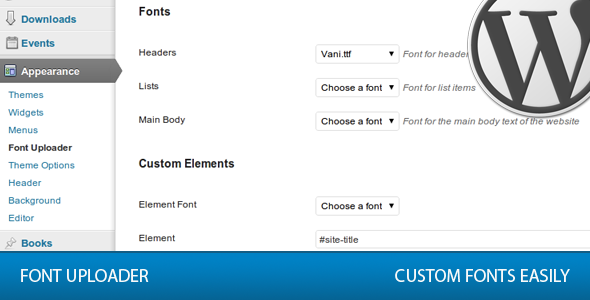
This plugin lets you upload your own font files and apply them to any element of your website without requiring a knowledge of html or css.

Use any font anywhere you like and use your own fonts with any WordPress theme.

This plugin will work with any and all wordpress themes, commercial and free a like.

Features

  • All .otf, .ttf, and .eot font files are supported
  • 100% Cross browser compatible
  • Control the fonts of every aspect of your wordpress site
  • Font Size Control for all elements
  • Compatible with WordPress 2.6+
  • Google webFont Support
  • Easy to use
  • Advanced section for those with html / css knowledge

Version 2.0 Updates

In version 2.0, the plugin was completely rewritten from the ground up. A security flaw was discovered in the previous versions relating to the file types that could be uploaded; this security problem has been fixed.

Fonts are also now uploaded to wp-content/uploads/fonts/, whereas before they were uploaded to wp-content/plugins/font-uploader/fonts/, which would result in lost fonts when upgrading the plugin.

Download Free Version Buy Now

The free version does not include support for Internet Explorer, Google Fonts, or font sizes.

Tweet Follow @pippinsplugins
custom fonts, font uploader, fonts, wordpress plugin

240 comments on “WordPress Font Uploader Plugin”

Comment navigation

← Older Comments
  1. Erin Welker says:
    February 3, 2012 at 2:29 pm

    I am still having problems with the plugin. It doesn’t seem to be executing the eot files properly.

    Reply
    • Pippin Williamson says:
      February 6, 2012 at 10:47 am

      Sorry for the slow reply. When you say it’s not executing EOT files correctly, do you mean that they’re not rendering at all, or that they are rendering poorly? Problems with quality are always caused by issues with the font file itself. The plugin has no control over that.

  2. Erin Welker says:
    February 6, 2012 at 2:44 pm

    It does not render at all. It falls beck to the default font. The .ttf does work though.

    Reply
    • Pippin Williamson says:
      February 6, 2012 at 2:48 pm

      Try converting your font with the @font-face converter on fontsquirrel.com. It tends to work a little better than the one included in the documentation.

  3. drew says:
    February 18, 2012 at 11:59 pm

    i get this error when trying to upload font

    Warning: copy(fonts/DBHead-Black.otf) [function.copy]: failed to open stream: Permission denied in /www/181life.com/wp-content/plugins/font-uploader/font-upload.php on line 71

    Reply
    • Pippin Williamson says:
      February 19, 2012 at 3:39 pm

      Sounds like you need to update the permissions of the fonts/ folder inside of the font-uploader/ folder. Try first setting it to 755. If that doesn’t work, then try 777.

  4. siddharth says:
    April 23, 2012 at 4:42 am

    Friends font uploaded current version not working on wordpress 3.3.2.
    so how it will work.

    Reply
  5. siddharth says:
    April 23, 2012 at 4:44 am

    This error is showing on the font uploader Dashboard …

    Fatal error: Call to undefined method WP_Error::get_item_quantity() in /home/geetam/public_html/wp-content/plugins/font-uploader/font-uploader-free.php on line 202

    Reply
    • Pippin says:
      April 23, 2012 at 10:15 am

      I’ve just updated it to fix the problem.

  6. skyprintbooks says:
    July 12, 2012 at 6:30 am

    Hello
    I have to use my own font for only one word in the body. Is it possible?

    Reply
    • Pippin says:
      July 12, 2012 at 10:21 am

      If you wrap the word in a SPAN tag with a unique ID or class then yes. Do you know how to do that?

  7. SparkyHub says:
    July 27, 2012 at 11:28 pm

    I purchased this plugin from codecanyon. Simple and powerful plugin. Great job buddy..

    Reply
  8. Scott says:
    August 21, 2012 at 11:00 am

    Hi Pippin,

    Thanks for the great plugin. I just bought the pro version for IE fonts. I followed all the steps and converted all my fonts from .otf to .eot and uploaded them. I selected the .eot fonts for Internet Explorer.

    When I preview in IE, none of the custom fonts are appearing at all.

    Reply
    • Pippin says:
      August 21, 2012 at 1:33 pm

      I just responded to your email.

  9. Dima says:
    September 10, 2012 at 6:05 am

    Hello! Thank you for your plug-in!
    Prompt how to force a plug-in to work in Internet Explorer?

    Reply
    • Pippin says:
      September 10, 2012 at 10:24 am

      Are you using the free or paid version?

  10. kourousaba.com says:
    September 14, 2012 at 7:54 pm

    I am using WordPress 3.4.2. I bought font uploader, but it isn’t rendering the characters. They come out as ????. I’m using font Kanjamadi. It is a non-Latin font. Thanks for your response, in advance.

    Reply
    • Pippin says:
      September 15, 2012 at 7:18 pm

      If the characters aren’t rendering, you will need to select a different font as that problem is caused by your font file.

  11. Gregpeck says:
    January 3, 2013 at 9:17 am

    Hi,

    I’m using the free version and I’m satisfied! But I’m more interested in the premium version.

    However, I’d like to know whether I can convert my current font to an eot font.

    Which converter do you advise to use to convert my font from ttf to eot?

    If I’m not able to convert, it doesn’t make sense to buy the premium version.

    Thanks!

    Reply
    • Pippin says:
      January 3, 2013 at 7:46 pm

      My favorite converter is the @font-face generator at font-squirrel.com

  12. Wendy says:
    January 9, 2013 at 10:52 am

    I am having trouble with fonts not showing up on sites that I have recently updated (with the most recent version of wordpress).

    I had to upload the fonts again, but they aren’t showing. I converted them with font-squirrel and that didn’t help. I even tried with other files to no avail.

    Any simple fixes I may be missing?

    Reply
    • Pippin says:
      January 9, 2013 at 5:16 pm

      What version of Font Uploader are you using?

    • Wendy says:
      January 15, 2013 at 10:14 am

      1.3.2

    • Pippin says:
      January 15, 2013 at 8:20 pm

      Is it all browsers or just some of them that are having trouble?

    • Wendy says:
      January 17, 2013 at 8:53 am

      Yes. I tested it in Safari, Opera, Firefox and Chrome and it isn’t working in any of them.

    • Pippin says:
      January 20, 2013 at 7:01 pm

      Sorry for the slow reply. Can you give me a live URL so that I can try to identify what the issue is?

    • Wendy says:
      January 24, 2013 at 9:43 am

      Ditto!

      Here is the site I’m having trouble with: http://cupcakedivas.net

    • Pippin says:
      January 27, 2013 at 8:47 pm

      What’s an example of one of the elements that isn’t working? Having not seen the site before, it’s difficult to guess :)

    • Wendy says:
      January 28, 2013 at 9:06 am

      I apologize for not being thorough!

      Basically, all of the fonts are supposed to be custom. The navigation at the top is supposed to be Champagne & Limousines. The body is supposed the be the same and the Menu Headers are supposed to be (something swirly).

    • Pippin says:
      February 4, 2013 at 11:57 am

      Sorry for the delay. Looks like the issue is file permissions: http://d.pr/i/SgXS

    • Wendy says:
      February 4, 2013 at 12:29 pm

      Thank you so much! I have no idea why the permissions have been changed, but I will address it.

  13. danbra says:
    January 15, 2013 at 1:28 am

    I am using FontUploader 2.0 (paid version) with WordPress.3.5.

    Everything is working beautifully in Firefox, Safari and older IE than IE9.

    But In IE9 the headers are not displayed at all while the body text is set to a serif-font (Times New Roman or something similar) and in IE10 the headers show up correctly but links and body text are rendered the same way as in IE9.

    Added the mime-information in the htaccess-file of the site. No apparent change.

    Tried to work with exceptions in the FontUploader settings but that did not seem to bite.

    Apparently something is cancelling out the intended changes for IE9 and 10 but I can’t really see what. Anything more that I should try?

    Reply
    • Pippin says:
      February 4, 2013 at 11:54 am

      So sorry for missing this!

      Can you please provide a live URL for me to see the issue?

    • danbra says:
      February 4, 2013 at 1:04 pm

      No problem.

      Sure thing – would really appreciate if you had the time to peek at it: http://www.accus.se.

    • Pippin says:
      February 5, 2013 at 5:50 pm

      I see the problem with the headers. Your theme has cufon enabled (font smoothing), but it breaks in IE. Does the theme have an option to disable it?

    • danbra says:
      February 7, 2013 at 1:39 am

      Ah! I see how that probably could mess things up. Disabled now. Not sure that it helped though.

    • Pippin says:
      February 9, 2013 at 6:30 pm

      How did you disable it? Did your theme have an option? I ask because now your site has a syntax error about cufon.

    • danbra says:
      February 10, 2013 at 8:30 am

      Really? Maybe I should check with the developer on that. Does not sound very good.

      I simply used in the built-in option for the theme.

    • Pippin says:
      February 11, 2013 at 8:50 pm

      Yes, check with the developer.

  14. Joseph says:
    January 20, 2013 at 2:25 am

    Question. The video shows a TOTALLY different UI than the version I just downloaded. I had the an older version with a Toggle / Accordion like UI. I REALLY like that UI better. is v 2.0 the way it’s going to remain or will you use the nicer UI which I found easier to use as well. Thanks

    Reply
    • Pippin says:
      January 20, 2013 at 12:26 pm

      The UI was updated with 2.0 because the old version had some significant problems, so yes, this is the permanent UI.

  15. Dana says:
    February 7, 2013 at 5:49 pm

    I love this plugin but I can’t figure out how to change all of the links??? What should I use for the element?

    Reply
    • Pippin says:
      February 9, 2013 at 6:24 pm

      It depends on the site. Can you provide a live URL for me to look at?

Comment navigation

← Older Comments

Leave a Reply Cancel reply

Your email address will not be published. Required fields are marked *

You may use these HTML tags and attributes: <a href="" title=""> <abbr title=""> <acronym title=""> <b> <blockquote cite=""> <cite> <code> <del datetime=""> <em> <i> <q cite=""> <strike> <strong>

  • Login

Lost your password?

Please enter your username or e-mail address. You will receive a new password via e-mail.

  • Facebook Become a Fan Like

  • Twitter Subscribe on Twitter Follow

  • YouTube Follow my Videos Subscribe

  • RSS Feed Subscribe with RSS Subscribe

Easy Digital Downloads

Most Loved

  • Love It Pro for WordPress
  • Write a “Love It” Plugin with Ajax to Let Users Love Their Favorite Posts / Pages
  • Simple Notices Pro Plugin for WordPress
  • User Bookmarks for WordPress
  • Front End Registration and Login Forms Plugin

Similar Plugins and Posts

  • WordPress Font Uploader Free

Latest Premium Content

  • Plugin Development 101 – Introduction to Adding Dashboard Menus
  • Plugin Development 101 – Intro to Loading Scripts and Styles
  • User Follow System – Part 5
  • Plugin Development 101 – Intro to Short Codes
  • Plugin Development 101 – Registering a Custom Post Type
  • Plugin Development 101 – Intro to Actions

Latest Tutorials

  • Submitting Your First Pull Request to a WordPress Plugin on Github (2)

    Github is an extremely popular tool for managing WordPress plugins, and one...

  • Plugin Development 101 – Introduction to Adding Dashboard Menus (1)

    Adding new menus, both top level and sub level, to the WordPress Dashboard is a really common task for plugins...

  • Plugin Development 101 – Intro to Loading Scripts and Styles (16)

    In this part of Plugin...

Enter your email to receive automated updates when new posts are published

Latest Tweets

  • @jaredatch @kimparsell :D
    May 23, 2013
  • @jaredatch there is, as long as there is at least one ticket
    May 23, 2013
  • RT @Astoundify: We are hiring p/t tech support rep for our support forum if your interested email contact [at] http://t.co/bcXNhcwZx5
    May 23, 2013

Topics

hook meta box Rémi Corson featured shortcodes campaign monitor add_options_page register_setting Sugar Event Calendar attachments add_shortcode wp_enqueue_script the_content image forms short codes Related posts login do_action authors mail chimp attachment plugin recent posts comments post types bbpress apply_filters short code taxonomies custom post type Ajax images gallery Stripe jquery taxonomy users widgets add_filter easy content types add_action widget restrict content pro easy digital downloads

Weekly Newsletter

Useful Links

  • Join the Site
  • Plugin Store
  • Affiliate Area
  • Tag Index
  • Support the Site
  • Suggest a Tutorial
  • Random Post
  • Contact

Monthly Archives

(c) 2011 Pippin's Plugins