
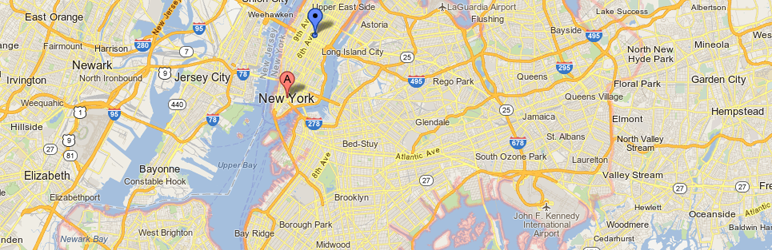
This plugin will enable a simple short code that you can use for embedding Google Maps in any WordPress post or page. The short code uses the WordPress HTTPS API and the Transients API for delivering cached maps with little to no impact on your site’s performance.
Maps are displayed with the [pw_map]] short code:
[pw_map address="New York City"]
The size of the map can be adjusted by supplying the width and height parameters:
[pw_map address="New York City" width="400px" height="200px"]
You can also use percentages for sizes:
[pw_map address="New York City" width="50%" height="200px"]
Maps are cached using the WordPress Transients API, which allows for very simple database-based caching.
Each time you display a map, the address specified is used to generate a unique md5 hash, which is used for the cache identifier. This means that if you change the address used for your map, the cache will be refreshed.
The maps are cached for 3 months, though are automatically cleared (for individual maps) when you change the address in the short code.
Download Plugin
This is great, thank you for sharing this plugin. I have reviewed several Maps plugins during last few months while writing for wplift and I think this plugin will truly help a lot of people. There are some really excellent plugins to display Google, Bing or Mapquest maps but this one is simpler and easier and plus it has built in support for caching.
My biggest complaint with most map plugins is just that they’re generally too heavy. I like simple, light plugins 🙂
Awesome Pippin, great plugin 🙂
My daughter is building her school’s FLBA chapter a news and community calendar site, Of course she chose WP to build on, but I’m not allowed to help, Per se… but I can suggest plugins =D She is required to incorporate maps… this will be so easy for her to use.
Great to hear!
Hey Pippin,
Any facility to use multiple addresses or provide lat/lon? The image at the top of the page shows two pins (red and blue).
No, sorry.
Wonderful plugin! Suits my needs perfectly.
One question though: when the map is re-sized based on the page width, the yellow street view person icon starts to “squish” until at 300px wide, it’s barely visible.
Is there a fix for this? Or a way I can just disable the street view, as it isn’t necessary for my purposes?
Thank you!
Noah
Noah, could you give me a live URL so that I can see the issue?
Hi Pippin,
It really is a wonderful plugin!
Just wonder how and if possible to show the map with different language then En?
Tx
No, sorry.
Hi Pippin.
Great plug.
One question though, when I use the same coordinates (in this case a post code) on multiple page the map still shows but with scroll/click facilities missing! It is almost as though the map is now an image.
Any reason for this?
It’s probably caused by CSS in your theme. Could you show me a live URL?
(link removed)
Could you please not publish this url?
Thank you Pippin, you were right it was the css that was at fault.
Could you please remove the url in my previous post.
Many thanks for a great plug. 🙂
Great!
I have removed the link.
Hi Pippin,
Thank you for making this very cool shortcode plugin.
I’m trying to display a custom map from my google account with a url like:
https://maps.google.com/maps/ms?msid=010101010101010101010101012&msa=0can I do:
[pw_map address="http://maps.google.com/maps/ms?msid=010101010101010101010101012&msa=0" width="500px" height="600px"]Or will the plugin only work on geographic locations?
Thanks!
Eoin
Only actual addresses, sorry.
I wonder if you can assist. I love your plugin, but it seems it is not playing well with my CSS? The map has lines all through it. Can you recommend where to start? I am using the silverOrchid theme from gazpo.com
Thanks in advance…
Can you show me a live URL?
How to set up the scale?
The default scale?
Can the zoom of map can be changed?
No, sorry.
Hi, thank you for this great plugin, It is posible set the map by latitude and longitude ?
No, sorry.
Hi Pipin,
I’ve recently moved a site to a new server. I’m using the map shortcode on that site, in the single template of a custom post type (it’s a local business directory). It’s been working great for ages, but I’ve recently moved the site to a new server and am seeing some odd behaviour.
Although the maps generated previously (on the previous server) are displaying as normal, maps for newly created posts are not being generated. If I take a database dump and recreate the site locally (MAMP), then presto – all the maps are there.
Do you have any idea what might be causing this? Might it be something to do with transients do you think?
Sounds like the maps are cached and simply need a few hours to regenerate.
Hey,
awesome plugin as always!
Looks like from few days new website require to load Google Map API with authenticated call. If not Map will not display and will give a MissingKey Js error (developers.google.com/maps/documentation/javascript/error-messages#missing-key-map-error).
Can be an idea to add a settings page with a field for API Key and authenticate the request in pw_map_load_scripts()? Any plan to release a fix?
Best,
Francesco
Sorry for not seeing your comment earlier! I had some issues with Akismet automatically trashing a bunch of comments.
This has been fixed in an update pushed to the plugin a few weeks ago.
Hey there,
Any chance there could be an addition to the plugin for an info window?
I was using another map plugin, but I need something that supports the new api key requirement of Google Maps.
On the prototype, you can see a map where it says “Find us at”: http://joshrodg.com/hallmark/.
Here is the live site, where it says “Find us at”: http://hallmarkbaptist.church/.
Everything is the same but on the prototype there is an info window.
Thanks,
Josh
Even i also use the Google Maps Code in the Footer section of my website to let the people know the exact location of my business but i realized, it slows down the website performance.
But after reading about the plugin mentioned by you, i realised it is far beneficial and very simple to use, no need to do more tweaks.
Thanks for sharing.