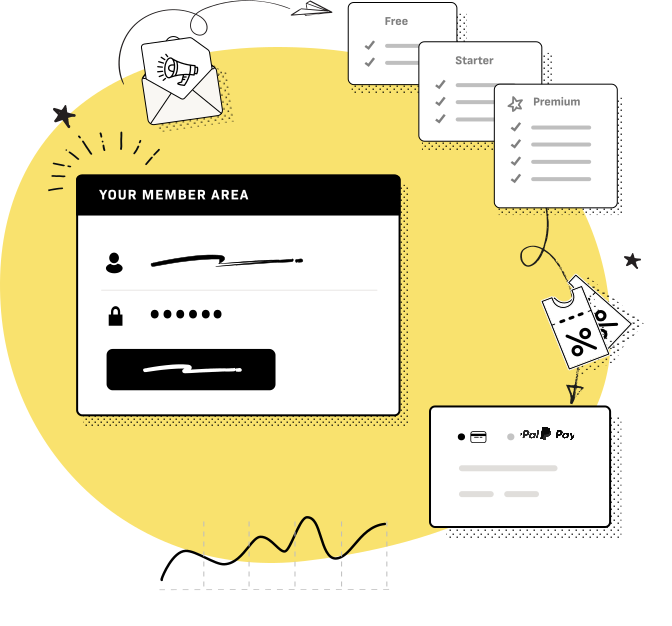
Restrict Content Pro is a complete subscription and premium content manager plugin for WordPress. Create an unlimited number of subscription levels, including free, trial and premium. Manage member’s and their subscriptions, track payments, offer discounts with a complete discount code system, and provide premium, members only content to your subscribers.
Very Simple to Use
With all of the features you need to set up premium content at your finger tips, Restrict Content Pro makes it extremely easy to deliver premium content to your subscribers.
With multiple methods of restricting content, you will find it quite simple to restrict entire posts / pages or just portions of them. Want to show content to premium users only? No problem. Want to show content to non-registered users only (such as a signup form)? No problem. Want to show content to non-registered users and non-premium users? This is simple too.
Members Management
Restrict Content Pro includes a complete member management system that lets you easily view all active, pending, expired, cancelled, and free users. Member’s subscriptions can be added or modified at anytime. Discount codes used and payments made by members are all tracked, so you can easily view every payment made or discount code used by any member. Subscription packages can include expiration dates, and members’ subscription statuses are automatically changed when they reach their expiration date.
Unlimited Subscription Packages
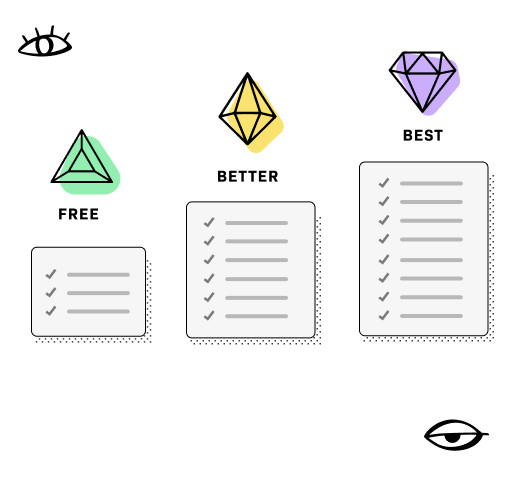
With Restrict Content Pro you can create an unlimited number of subscription packages. Each subscription level includes a name, description, duration, and price. You can easily create free, trial, and premium subscriptions. Member counts for all subscription levels are tracked as well, so you can quickly see which subscription levels are the most popular.
A user’s subscription level is chosen during the registration process. All subscription levels are shown to the user in an attractive manner on the registration page. View the Join the Site page on this site to view a sample of the registration page and subscription levels.
All subscription levels include the option for one-time payments and recurring payments. While registering, users simply choose whether they want a non-renewing subscription that expires at a set time, or an automatically renewing subscription.
Each subscription level can receive an “access level”. This determines the level of content this subscription grants access to, so you can easily give access to special content for your “gold” members, and then slightly less access for your “silver” members, or any other combination.
Integrated with PayPal Payments
All subscription payments are made via PayPal, allowing extremely fast and secure transactions. When a user signs up for a subscription, their account is automatically activated when the payment is complete. If a user has signed up for a subscription and then chooses to cancel it later on, their account on your website is automatically disabled as well, once the subscription reaches its end of term.
Additional payment gateways coming soon.
Discount Codes
Offer promotional discounts to subscribers with the complete discount code system built into Restrict Content Pro.
Create an unlimited number of discount codes and offer percentage or flat rate based discounts. Every time a discount code is used, it is tracked so that you can view the total number of times a discount is used, and it is also recorded to the details page of the member that used the discount.
Codes can be made active / inactive at any time and also have a protection system built-in that prevents users from using a discount more than once.
Payment Tracking
Every payment made to your website through Restrict Content Pro is recorded to the database for easy payment tracking. The Payments page of the plugin will display all payments recorded in the system, including the details of the payment, and will provide a number for the total amount of earnings made through the plugin.
Payments made by members are also recorded to the user’s meta information, allowing you to view every payment made by an individual user.
Data Export
In order to accommodate your own methods of tracking earnings and subscription sign ups, Restrict Content Pro includes an export function that allows you to download a CSV o all members or payments. You can generate a CSV of all active members of any particular subscription level, or a CSV of every member in the system. You can also generate a CSV of every payment that has been made.
The CSVs exported from Restrict Content Pro can then be used in whatever way you feel best. For example, you could export all of your expired members, then import them directly into Mail Chimp or aWeber and send them a special email newsletter encouraging them to renew their subscription. Or you could drop the payments CSV into your own financial tracking software.
Easy to Set Up
With just the right number of configuration settings, Restrict Content Pro is extremely simple to setup.
You can easily configure the messages that are displayed to non-authorized users when they try to view premium content; you can enter your PayPal email (for payments) and choose your currency easily. Also choose to enable jQuery validation on the registration and change password forms; configure the emails that are sent out to users when the sign up or modify their subscription.
A Sandbox (testing) mode is also included that allows you to test the plugin with PayPal before receiving any actual payments to ensure everything is functioning correctly.
Extensive Help
Every page of the plugin’s administrative interface includes a contextual Help tab that provides you relevant information at your finger tips. Forget about the hassle of opening an external documentation to find what you need; it’s all right there.
Also included with the plugin, is an additional built-in help page that includes documentation on all aspects of the plugin not covered in the Help tabs. In the Help page, is also a selection of introductory over view videos that give you simple, quick explanations of how to set up the plugin.
Nothing is Hidden
I’m not trying to hide anything about the plugin from you, so check out screenshots of every single page of the plugin below.
Add-Ons
Over time, I will be continually adding onto Restrict Content Pro. Some add-ons will be free and some will be premium upgrades.
Stripe Payment Gateway
Accept credit cards directly on your site’s registration page. This means the user never leaves your site and has a much smoother, more uniform experience. Stripe.com is by far one of the best ways to start accepting credit card payments, and this add-on plugin lets you integrate Stripe right into Restrict Content Pro.Accept credit cards directly on your site’s registration page. This means the user never leaves your site and has a much smoother, more uniform experience. Stripe.com is by far one of the best ways to start accepting credit card payments, and this add-on plugin lets you integrate Stripe right into Restrict Content Pro.
Get the Stripe.com Payment Gateway
Mail Chimp Add-On – Free
Add Mail Chimp integration to the Restrict Content Pro registration form with the free Mail Chimp Add-on. The add-on plugin will add an option for your users, both new and existing, to signup for your email newsletter during the registration process. Get the Mail Chimp add-on.
Earnings Graphs
With this add-on, you will have a new “Graphs” added to your Restrict menu for Restrict Content Pro.
This new page will display graphs of both monthly earnings for the current year, and also active members per subscription level.
Math Verification
This add-on provides a math captcha for the registration form that helps protect against bot registration, while also not driving your users crazy with difficult to read reCaptchas.
Get the Math Verification Add-On
Stay Up to Date with Restrict Content Pro
I sent out email alerts anytime a new version is released, new add-ons are published, or other cool things happen that are related to this plugin.
Purchase Restrict Content Pro – $30


been waiting for this one
I’m glad you found it! Be sure to check out the free add-on for Mail Chimp I just released a moment ago: http://pippinsplugins.com/restrict-content-pro-mailchimp/
Very interesting.
Is it possible to define not only postings but pages as premium content?
Yes, and all custom post types
This looks very cool, does it have any integration with gravity forms plugin and or campaign monitor?
Many Thanks,
A
What sort of integration would you like to see with Gravity Forms? Campaign monitor is on the todo list. I already have a Mail Chimp add-on, if that works instead.
This plugin is exactly what I was looking for .. .Thanks so much … Today I will install the free version and in the following week I will buy it for sure …
Excellent! Let me know if you have any questions.
Hi Pippin.
This plugin looks really promising!
How difficult or easy is it to develop payment gateways for this plugin? Is there any documentation on how to do it? I need a payment gateway for Epay (Denmark) http://tech.epay.dk/.
Cheers
Vayu
I’m in the process of building the first non-PayPal payment gateway, and am doing it such that gateways for any other payment method can be added. Once I’m finished, I’ll be writing up documentation for it. At this time, there is not documentation for how to create new payment gateways.
Hi, plugin looks cool. Can you manage access for different memberships to different posts? thanx
All subscription packages offer the same level of access (at least at this time), but at different prices.
Hi Pippin,
I can see this plugin is going to be very useful for me with an idea I have. My idea is to have the majority of the site as viewable, but ‘members’ get to see my restricted content – however I need to take it a step further. What I need is the ability to charge my members a fee to add a page of content to my site. I couldn’t see that as a feature of this plugin, could it be – or do you have a plugin that does?
Thanks in advance
Ian
Ian, no, that is not included in the plugin. I don’t know of a plugin that can do it out of the box, but I can think of a few ways to set that up. Email me if you’re interested.
I just read through all the comments, thanks for being so responsive!
I have 3 pre-sales questions. (Trying to fulfill client specs)
1. If I created additional user fields using a plugin like Cimy User Extra Fields, will they show up on the subscription page? (I need to make it possible for users to complete their profile: bio, social media links, etc.)
2. How hard is it to change the default member role from subscriber to something else? I’d like to create a custom user group for paid subscribers
3. [Here's the deal breaker] I need to display members on one of the protected pages. Would it be possible to output the paid subscribers on a page, such as build a custom template to display a list of users?
Thanks!
Adam,
1. No, sorry. Restrict Content Pro has its own API for adding custom fields to the registration form.
2. It’s one line of code in the plugin, that’s all.
3. The plugin does not include a way to display the members, but there is a great plugin called “Member Directory” (I think) that does it quite well.
Thanks for your response. I don’t think this plugin will work in this instance, but I’ve bookmarked it and I’m sure to come back to it before long.
Is there a way to import my existing memberlist to the membership plugin?
The plugin uses the WordPress user base, so as long as you can import the users into WordPress then yes. Importing users into WordPress will make them available to the plugin, but it will not automatically make them active (paid) users.
Hi Pippin,
Another question for you, is it possible to hide membership level in the purchase page ?
If so how ?
Thanks again
Sylvie
You mean hide a subscription level from the registration page? Why would you want to have a subscription level available, but not allow users to signup for it? The only way at the moment is to hide it with CSS.
Oh got another question, i have created a coupon code so someone can get my subscription for free but it redirect to Paypal with a 0$ how to we bypass this so the subscription is being created.
Sylvie
Hmm, I had not thought of doing a 100% discount. If you can be patient, I will add this to my todo list for the next version.
it was a free subscription but i deleted it so it is all ok now for my purchase page
For the discount we are launching a site tomorrow and an email with a coupon to get a one year membership free will be sent.
When you ask about being patient what was the time frame of your next update ?
It will be a minimum of a week before the update is available, as I have a lot of other updates I have to finish before I can push out the update.
The best I can tell you for now is to set the coupon to almost 100%
Oh one more thing. Discount codes sent to PayPal apply for the entirety of the subscription.
Hi Pippin,
I have a few questions and could not find the answers in your story or the screenshot, so I’m posting them here:
- Is it possible to hold the activation for trail users? I would like to manually activate the free/trial registrations, so I can see if they meet my requirements (I only want to allow professionals to my prof only part of the website)
- From what email address is the activation message sent? WordPress@mydomain.com? Is it possible to make edit this to my custom email, but only affecting this plugin (since it otherwise will ruine my contact form plugin)
- Is there any language/translation included? If a .po file is included, I would love the help with the translation to Dutch.
Hope to hear from you!
Laura
No, it’s not possible to moderate users, not unless you have them signup for a free account and then upgrade to a paid account, though this could be tricky. Future versions of the plugin will have a few more options for these kind of features.
The activation emails are sent from the admin account. I would be happy to consider adding an option to define a custom one, however, if you’re interested.
Yes, there are complete language files included. The plugin has already been translated into French and I would love to see a Dutch translation
Thanks for your reply! If those two features (the ability to hold activation for specific user so I can manually activate them) and the custom email for this plugin only, I will definitely buy your plugin AND provide you with a Dutch translation! I’ll keep an eye on this page!
I will definitely be adding the custom email, but I can’t say when I will be able to add registration moderation.
I’m in no hurries at all! I’m very happy your considering adding the function for moderation Pippin!
Can you give me a date of your next update so I can get back to my client to reassure him
thanks for your time again
Probably within a week. Is there a specific update you are looking for?
Update I need is when a coupon makes the subscription free that it doesn’t redirect to Paypal.
Okay, it’s on the list this week.
Hi Pippin,
We are Friday the week is almost done and I haven’t got any news on the update.
I really need to know if it will be out today if not i will need to use another plugin the launch of the site I am working on is Monday and it is urgent for me that this works. I don’t mind paying a little extra to have it done. Please email me!!
what i need is that when someone put a coupon code and the product come to be free that it register the client and not redirect to Paypal..
Sorry for taking a little longer. I have finished the update and will be submitting the update tonight. The approval process can take up to 24 hours, so if you could send me an email (traveling right now), I will send you the update personally later this afternoon.
Like I said, the update is done. I’m just working on a few other updates as well, which is why it’s taking longer to be released. If you want the update now, please go ahead and email me and I’ll send it to you directly.
Thank you I email you from envato and waiting for you to send me the file directly to my email today.
Hi Pippin,
Could you elaborate a bit on modifying existing members? I’m specifically interested in what happens when you modify a member’s expiration date. Let’s say you add an extra month to an annual plan. When that plan auto-renews, does it auto-renew for the length specified in the plan (12 months) or for the length of time that the member has had since last renewal/signup (13 months)?
I’m also interested in not sending potentially paying customers away from the site to pay via PayPal. Any idea on timeframe for integrating PayPal Payments Pro as a gateway? I’m a fairly experienced developer, how difficult would it be to add that gateway myself?
Modifying paid plans can get a little messy, just FYI. When you have a paid account that auto renews every year (for example), PayPal will automatically charge your account once every year. When PayPal charges your account, it pings the website, which then results in the membership getting extended another year. So if the account has been modified, the modified expiration will be over written by PayPal.
What this means is that modifying recurring memberships is messy. You can modify non-recurring memberships fine. If a member has paid for one month, and you then (as the admin) extend their membership expiration by one month, the use will not expire until that new month, and nor will they be billed for it. PayPal doesn’t ping the site when non-recurring profiles expire, so modifications are not over written.
Did that make sense?
All of the heavy lifting for extra payment gateways is complete, and live in version 1.1.0. I have the Stripe.com gateway nearly complete, but do not know when I will get started on PayPal Pro. At the moment, I don’t have any idea how to do it, since I’ve never worked with PayPal Pro, so I have to investigate it before I will have a good idea of how long it will take.
If you’re interested in creating a PayPal Pro gateway, I will be more than happy to help you out. Send me an email about it if you want.
Hi Pippin,
This plugin may be exactly what I need to create the “member’s only” section of my website. A couple of quick questions for you:
- I watched the tutorial on adding a Terms of Service prior to logging in. Is there a way to redirect the user to a page where they have to read the terms, scroll to the bottom and then accept prior to completing registration as a user?
- Do you have the functionality to import data from a CSV file with basic user fields?
Thank you for your time,
Sachia
The plugin does not include that kind of redirect functionality on its own, but it would not be too hard to build with a little jQuery.
CSV import is not included with the plugin, but there are several free plugins that allow you to import users from a CSV: http://wordpress.org/extend/plugins/import-users-from-csv/
Thanks for the help, Pippin. I downloaded and installed the plugin today. I have setup a page for the registration using the short-code [register_form], but am unable to view the form on my page. The message “User registration is not enabled.” comes up. I have searched through the settings looking for a way to enable user registration with no avail. Any hints?
Also ~ is there a way to customize the registration form or can I use another Contact form plugin in conjunction with Restricted Content Pro?
Sachia
You need to go to Settings > General and enable “Anyone can register”.
What kind of customizations do you want to do? The plugin does include a series of action hooks that allow you to add additional fields if you want. See here: http://pippinsplugins.com/add-a-agree-to-our-terms-of-use-field-to-restrict-content-pro/
Thanks for your quick responses, Pippin.
Are you available to hire for customization? Please contact me at info@seakdesigns.com
Cheers.
No, sorry, I’m not doing custom work right now.
Too bad. I will look for a work-around or find someone else.
With regards to the registration login form : I will not be enabling paid users (just free users) on one of my accounts. The registration form has the “auto renew” automatically checked and the error comes back with “free users cannot renew”. This will be confusing for the client. Is there a way to hide the auto renew checkbox?
In the settings there is an option to disable the auto renew option.
Hi Pippin,
I forgot to ask one other question:
- Does the functionality exist where, when a user registers, the site administrator receives a notification email?
Thank you,
Sachia
Yes it does
Hi Pippin,
What plugin/tech are you using for email notifications for new comments? Visually it looks great, but unless I add a new comment I’m having a tough time unsubscribing.
It’s the Jetpack plugin from Automattic. If you go to your WordPress.org account, you should be able to manage all of your subscriptions.
Hello Pippin,
You have an excellent plugin here and I’m every impressed. Just 3 question –
For my website, I want to have different types of premium subscriptions. So Premium 1, gets access to pages/category A, Premium 2 gets access to pages/category B (different than A), and Premium 3 has access to pages/category A and B (the super subscriber – access to everything). Therefore I would like to restrict content based on Premium 1, 2, or 1 & 2. Is this possible?
Can the recurring payment me made automatically? In other words, I don’t want to give the option during registration, I just want it to become a recurring subscription by default?
Are trial subscriptions turned into paid subscriptions automatically or do they just expire and it is then up to the subscriber to renew their subscription?
Thank you for your time and great efforts in building this awesome plugin.
1. Yes, you can have different levels of subscriptions. In the plugin, these are called “access levels”, and they are tiered, meaning that a user with access level 3 will also be able to access all levels below 3, so 2, 1, and 0. Access level 2, however, cannot access 3 or higher.
2. I am planning to add an option that will allow you to set recurring profiles as the only option (so no checkbox), but it’s not there yet. I have had a user that customized it himself, and it’s pretty simple.
3. No, trial subscriptions are not automatically turned into paid subscriptions. PayPal does not have a method that would allow that. When a trial is over, the user must renew with a paid subscription (they cannot sign up for a trial again).
Thanks Pippin. Just confused about one thing. I understand the access levels clearly. What I am looking to do is create sections of a website for each level of subscriber. Ex. subscriber XYZ would have access to certain pages/posts (call it section 1). Then I have subscriber ABC who should have access to section 2 only (no access to section 1). So they are in a sense equal access levels, but to different sections of content. Can this be done with the access levels? On top of these two I also have subscriber DEF who has access to everything. You already explained this one clearly in your answer.
Thanks again.
Dan
Dan, currently no, that cannot be done (at least not with access levels), since access levels are tiered. The only way you can do that is by granting different users higher user roles (such as contributor or editor), then restricting those posts or pages to those user roles. This is not a good solution, however, because each user role has to be assigned manually.
Hi Pippi,
Can you tell me what would be the shortcode for the email to add the password info
For username its’s %username%
what would it be for password, I tried severals without succes.
Thanks again for your help
I assume you are talking about the emails. Plain text passwords cannot be included in the emails for security reasons.
Pippin – so far I love this plugin… MUCH more simple and not nearly as crazy of an admin or footprint as amember, s2member, or wishlist.
My question however is what about files? what if somebody tries to copy/paste a file url from a protected part of the site? what about directory protection?
Thanks man.
Great! I’m glad you like it!
At this time, neither files nor directories are protected. It has been asked about several times, so I will probably look into doing it at some point.
@Pippen okay glad to hear it’s in the roadmap. I couldn’t use it until then so make sure you post on the blog or whatever when you’ve updated that.
Also… thinking about migrating users from one plugin (in my case on this first project it would be WishListMember) so… thinking about importing groups of people, shortcodes, etc… Something for you to think about maybe as a feature in the future… or maybe that’s plugin to your plugin territory?? Either way, it would be something useful you could provide as most people won’t be as technically proficient as guys like me and it would open up your user base.
Cheers
@ChuckReynolds
Importing lots of users can definitely be done, and it would make a good plugin, so I will certainly consider it.
I need the ability to see access per category.
Could this easily be done?
This would be a different product per category.
My guess the best approach would be to have dynamic “level” creation per category and when they go to PayPal they pay for product ID CATEGORY-123 and then when it returns to Restrict content Pro it it adds this “product” to this particular user which I could look up to see if the category/post can be displayed or not.
It might not be that hard to do with a little customization, but it is not included in the plugin.
Would how the IPN is set up it allow this?
If I create custom forwards to PayPal will it still record a level that doesn’t exist?
The PayPal IPN allows you to pass custom variables, so you could use those, or pass the category name/id as the Product ID to PayPal. There are certainly multiple ways to do it.
Thanks for getting back to me, I’lls ee what I can do.
Quick question: are there any issues or considerations if installing this on a WP multisite? Likewise, can it work across all subdirectories, only primary, one subdirectory only, etc.?
Many thanks,
Drew
As long as it is activated independently on each subsite, it will work perfectly fine. The plugin was developed almost entirely on a multisite install.
The only multi site install is that it cannot be network activated at this time, but with just a small modification, that could be made to happen.
Found this plugin , easy to implement and its already paid for itself.
Question: Can I use this plugin with bbpress? and/or buddypress as a whole?
Just seen the mailchimp addon which I will have a go installing too.
The plugin does not natively support bbPress or buddyPress, but it will in time. I’m working on an add-on now for bbPress that will allow you to restrict forums and topics to registered subscribers, and I’m planning to do the same for buddyPress.
I am very interested in this plugin. I would like to see the features first hand, do you have a Non-premium version
that is free?
There is a much, much more minimal version that is completely free: http://wordpress.org/extend/plugins/restrict-content/
Note, however, that it has only about 5% of the features of the full version.
I’m glad to see you’re active in providing support. That alone makes me want to support your plugin. I do have a couple questions.
If I purchase your plugin, it the license per site or am I free to use it on many sites as a developer?
Do I get free upgrades for life? For a year? Until next major version increase?
My site needs a restricted access area for users to download files. So I would be interested in seeing being developed the protected files function to your plugin.
It is a per-site license, but you do get free upgrades for life.
It does not yet have download directory protection, but it’s on the horizon.
I was going to purchase this, but I have to sign up for codecanyon, and upon signing up I already was sent spam (being signed up for some marketing stuff from the parent company). It’s extra steps and hassles for people to go through this (not to mention additional surcharges for using Paypal, but you can upload credit to your account using Paypal to avoid the surcharge…again extra steps). I realize that you have this system and it works for you, but I thought I’d let you know how the experience is from the end user’s point of view.
Thank you for the feedback, but I do not expect to be moving away from Code Canyon anytime soon, at least not for this plugin.
Does this plugin have a feature where users can get their password, if they forgot theirs, emailed to them automatically?
The login form included with the plugin has a “Lost Password” link that, when clicked, takes the user to the default WordPress lost password screen.
Hi Pippin!
I read a bit higher that you were working on a version of the plugin that would allow a 100% discount (free) coupon code without redirecting to Paypal. Is that available in the current version of the plugin?
Thanks!
Oh! I just got my answer by reading the changelog version 1.1.0. It is available now. Perfect!
Yep, it’s there
Hello,
The plugin is awesome but i have just one probleme. When i want to check the register form i have a notification:
“The user’s register is not activated” i don’t know the meaning.
Any idea
Go to your WordPress Settings > General page and check the box for “Anyone can register”.
Hello Pippin,
I have read every post above and i am encouraged by your responses and response time. I am putting together a website for a small newspaper and the publisher wants a paywall. this plugin looks to nearly be the answer, and maybe is already, but i could not find in any of the docs whether or not more fields are possible at registration to include physical addresses. i did see the request for Gravity Forms and that would be nice because i use them elsewhere.
This newspaper is mailed to subscribers.
So, a person signing up for a subscription would need to also include a mailing address.
the subs are – digital only – digital & physical
So, when a person pays for a subscription – am i to rely on the mailing address from paypal?
is there a way to add mailing address to signup and that that info is auto-filled when they are at paypal?
is any info autofilled at paypal from first page of registration?
is there any way to put an auto cancel on post being protected to going unprotected [no subscription of any kind required] after a set period of time? so that any articles a month old are automatically freely available?
ok – thanks in advance for your help,
joe
Joe, it is possible to add extra fields to the registration form through the plugin’s API. I have a couple of tutorials on doing it: http://pippinsplugins.com/series/customizing-restrict-content-pro/
These extra fields, however, cannot be sent to PayPal.
There is not a way to do an auto cancel either, but it would be possible if you were willing to modify some of the plugin code. I can direct you.
Pippin,
Thanks for the reply – I know this isn’t the forum of “ask a pro” but – i have already installed a shopping cart plugin to manage subscriptions – as it is more for the ordering of the physical newspaper and what we will also offer is an e-edition, basically a site that delivers the .pdf of the newspaper and it has its own user-admin but is managed manually so my question is – what if i were to NOT use the cart plugin and instead use content pro to allow the purchase/order placement for our physical paper and e-edition – would we be able to export usernames/passwords/email addresses and use them to match the user/login/password elsewhere?
What do you think about NOT using a cart for these transactions compared to using content pro? We have set up PayPal as our “gateway” and we are a SMALL weekly paper – we will not even have when all is said and done more than 500 subscribers.
again – thank you for your help and advice.
cheers,
joe
I would say all of this is possible and should work well. Could you send me an email via my contact page so we can talk about it more?
Hi….
The plugin is awesome..
I am using the [login_form] shortcode into the text widget.
When i am login as user on frontend then it redirects to wrong URL instead of redirecting to blog post URL…
Can you please help me with this??
Thanks in advance,
Deepak
Have you set the “redirect” parameter for the short code? For example, you can do this:
If you leave that blank, it is supposed to redirect back to the current page. Is that not what you are seeing?
HI, I’m looking for a plugin that will enable me to make member’s only gallery pages with a registration form for datacapture (with extra fields such as age, gender, etc). So far so good.
But my client wants the member details, including all the extra fields, sent automatically as a csv weekly to his email. Is that possible?
Thanks.
Mark, this plugin will allow you to create the member’s only gallery pages, and also have additional fields on the registration form (with a little bit of extra code), but it will not provide the weekly email CSV.
Hi Pippin
This looks like a super plugin. I know this is probably a long shot, but I was wondering whether you have any plans to extend it to encompass a credits/deposits system, ala the Envato and istockphoto websites? What I mean is this: a user pays, say, $20 for 20 credits. To access a particular page or post (e.g., to access a posting form) costs, say, 1 credit (the amount could be set by the admin). The user can keep accessing the protected content/page/post until the user’s credits run out, upon which he/she would be notified that his/her credits have run out and asked whether s/he liked to purchase more.
There is a “User Credits” plugin on Code Canyon but it doesn’t seem to have any clear instructions on PayPal integration and so isn’t particularly helpful for me.
All the best.
Richard
Sorry, but no, I don’t plan to do that. Thanks for the input though.
Thanks. Would you be interested in developing a plugin that could do this, for a fee?
At this time, no, sorry. I’m doing very little freelance as I’m focusing on several large projects.
No worries. It was worth a try. All the best with your projects. You’re producing some superb plugins!
Hi, Pippin – This looks like a fantastic plugin! I’m really hoping to be able to use it for my site.
I have one question that I couldn’t find an answer to (I apologize if it’s a dumb one!): When subscribers join a site, is their access level matched to a particular WordPress role, and is there a way to designate which role this is?
I’m using another plugin that creates a WP role with a “premium subscription” capability for a pay-only podcast. I was wondering if I’d be able to use your plugin as an easy way to manage the paid subscriptions and match the access level with the premium subscriber role already in place. Thanks so much for your help!
Alison, when a user registers through RCP, they are are automatically assigned the “subscriber” role. This can, however, be easily changed if you want. There is not a direct setting for it, but I can show you how.
Excellent! I’ll be purchasing and downloading RCP plugin this afternoon or tomorrow morning – I’ll follow up with you via email! Thanks again for your help, and for creating such an awesome plugin.
Great, Thank you!
Hi Pippin
Awsome! Is it possible to have the post title + feature image also hiden in the listings / recent posts. Or is the restrict limited to only hiding the actually blogpost content?
Perhaps I’m just missing some trivial setting?
Not without modifying the template files. By default (because there are so many ways to setup a theme), you can only hide the post content, but with some minor theme modifications, you can hide whatever you.
There is one setting, however, that might suit your needs. In Settings > Misc there is a setting for “Hide Premium Posts”. This option will completely remove all premium posts/pages from blog feeds, archives, search results, etc. Note, however, it only removes those posts that have the “Paid Only” checkbox checked.
Hello Pippin.
I’d like to know if I can create my own add-ons and/or language files and sell them by my own, I mean, as a third party developer.
Thanks in advance. Keep the good work. Hope a quick answer.
Cheers.
Absolutely! I would be thrilled to see that happen. If you have any questions, you are more than welcome to ask at any time.
Hi Pippin, this is awesome. I just wondering that is there any way to import members to this plugin, because I am recently using another premium content plugin from codecanyon and there are over 500 members on my site, they are all paid members. Now I just wanting to switch the plugin to yours (yours is better).But these would be a very hard work for me. So, let me know is there a solution for this. Thank you very much.
There is not a direct way to import them, sorry. The only way to do it would be to create a custom import function that maps the correct meta fields and values.
Hello,
I need some answers about your plugin. Is it possible to turn a member as a “no role on this website” automatically. When a member suscribe to my website he’s saved like an “editor”, he can go to my wp-admin, but i don’t want that. When a personn suscribe to my website i want him to be a ‘no role on this website”.
In addition when a member is suscribing, after he received his email he can’t have access to my page for premium member, i need to turn this member as an activ member. There is an other way to do this automatically?
Thanks a lot, and sorry for my vocabulary, i’am a french guy
Members who subscribe through Restrict Content Pro are automatically set to the “subscriber” user level. So if your current system sets them a “editor”, then this plugin will work for you. When a user signs up, they are also automatically set to active, once PayPal has confirm their payment.
Hi,
this plugin looks very powerful!
I’m a graphic designer and I’d like to setup a private area for my customers. I’d like to give a login to every customer and put the custom content inside, so the customer can see only the files I’m developing for him. Is it possible to configure this plugin to achieve that result?
Thank you!
No, sorry. The plugin will allow you to restrict content to active members, but not specific members. I’m not sure, but I believe this plugin will let you do that: http://codecanyon.net/item/privatecontent-multilevel-content-plugin/1467885
Hi Pippin,
I have purchased your plugin and find myself in a bit of a pickle while setting up. I understand that the higher the level, the more access that member should have. But, what if I want to create 2 different memberships that get completely different content access? In my case, I have a client who is a business coach and has very different programs for the different levels of clients – individual vs. group coaching, for instance.
Can I achieve this exclusive access to each program with your plugin?
Thank you!
Thank you for your purchase. You can definitely do this. What you need to do is NOT use the access levels. You can restrict content to only members within a particular subscription level. Set all access levels to zero, and then, when restricting content, choose the membership level that you want to have access to the content. Only member’s subscribed to that level will be able to see the content.
Thank you so much for your assistance.
Is it also possible, then, to have 1 subscriber have access to 2 (or more) subscriptions? Would they just have to pay 2 different times?
Thank you in advance!
No, subscribers may only be subscribed to one subscription. If you have content that should be available to more than one subscription level, then you should also use the access level option for restricting the content.
This plugin looks excellent Pippin! Just a couple of presales questions though
1) Is is possible to disable user registrations? By which I mean, is it necessary to do anything other than disable registrations within the core WP settings? I won’t be charging for content, I just want to give specific people I choose different access levels (I want to restrict a press and media download area to authorised members of the press, which I will manually authorise…).
2) Does it play nice with multisite? (I don’t want users to be cross-site… I just want to make sure it works on a MS install)
Many thanks!
1) Yes, registration can be disabled and is NOT required for the plugin to function. The plugin includes a complete interface in the admin that you can use to manually add subscriptions to users.
2) Yes, it plays well with multisite, as long as it is activated on each site in the network individually. It cannot be network activated.
Sorry – one other thing. If it’s NOT possible to disable registrations, is it possible to require admin activation of subscriptions?
Thanks!
Per my last comment, yes, registrations can be disabled. No, admin approval is not an available option.
Do you have a affiliate extension for this plugin so we can recruit affiliates to our membership site?
Not yet, but I’m planning to build one within the next couple of weeks.