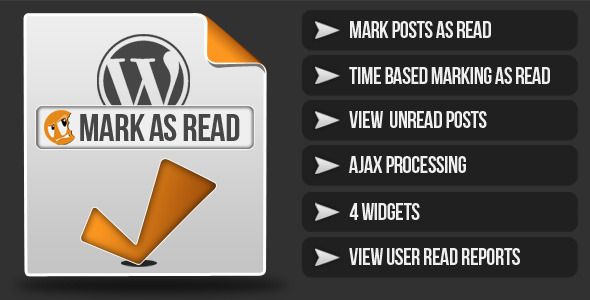
Mark as Read is a plugin for WordPress that gives your users a way to keep track of the posts they have read, and those they have not.
The plugin lets your users mark posts as read / unread as they view them. Everything is performed with ajax for a seamless, smooth experience.
Posts can be marked as read manually or automatically (after a specified period of time) and can have their read status changed at any point.
Every post that is marked as read receives a “read count”, which is used in one of the provided widgets to display a list of your most popular posts.
Users can easily view posts they have not read and also view a report of their reading progress on your site, including the number of posts they’ve read, the number they haven’t read, the total number of posts on the site, and the percentage of the posts they have read.
The plugin can be completely setup in less than five minutes and includes a variety of options to customize it to perfectly suit your needs.
Included are a selection of widgets, short codes, automatic functions (configurable through the settings page), and template tags. The plugin can be used by every level of WordPress user, from absolute beginner to advanced developer.
Features
- Mark posts as read
- Optional setting to mark posts as read automatically after a time period
- Mark posts as unread
- View posts not yet read
- View complete reading report of the number of posts you’ve read, those you have not read, the total posts on the site, and the percentage of posts that you have read
- Optional alert messages for when posts are marked as read/unread
- Four widgets included
- Mark Post as Read/Unread Links
- User’s Unread Posts
- Most Read Posts
- User Report
- 3 Short codes included
- User’s Unread Posts
- Most Read (Popular) Posts
- User’s Report
- Settings page that provides excellent control and complete setup in less than 5 minutes
Note that this plugin is designed to fit perfectly within your WordPress theme, and so only minimal styling is provided. The widgets and all other functions of this plugin will perfectly inherit the styles of your theme.
Download Plugin

Does it work with Post Types?
Seems like its for only posts?
By default, just Posts, but it can be modified easily to work with other post types.
Is this the plugin that enables the Bookmark This Post functionality on this site?
No, the bookmarks on this site are powered by my User Bookmarks plugin.
Great! You just scored another purchase for that plugin
Thank you
Quick question. I bought and would like to be able to show on a page ALL of the posts that have not been read for a user. I see the shortcode but I can’t seem to get it to show more than 5. I read the read-me and it may be a tempate tag, but that’s a little foreign to me. Am I missing a quick fix? If needed, I can make a modification in some of the template code, just not sure what to add and where.
The short code accepts a parameter called “number”, just set it to a really high number, such as 999:
Is it possible to have this plugin work with the bbpress forums so you can view posts posts that haven’t been read?
No, but I’m probably going to write a separate plugin that does do that.
@pippin, what if I hire you to make the bbPress plugin? Are you interested?
Possibly, it depends on your time frame. You can email me if you want to talk about it more.
Thanks Pippin, I may be in contact soon. It is something a lot of bbpress users are looking for. I’ll have a forum migrating to my site soon and they’re used to these sort of features (with phpbb).
Sounds great.
Thanks Pippin for your earlier reply. One more question. Is it possible to mark posts/pages that should NOT be counted towards the Most Viewed by All Users?
One more question. If a user has a number of posts that are unread, how does your plugin determine which five to show?
It uses sequential ordering, so it’s based on the ID number of the post, but this can be pretty easily changed.
I’m not quite sure I understand what you mean, can you elaborate?
This doesn’t seem to work with the subscriber role. It displays unread articles, but doesn’t display the report on the profile page for a subscriber role, nor does it seem to mark articles as read after the subscriber role as viewed the post.
Is this true?
Eric, no, this is not true. If you’re experiencing this, then it is most likely due to a conflict with another plugin on your site. Do you have a plugin that blocks access to the dashboard for non admin users?
Thanks for the response.
I am in fact, and have confirmed it is, a function i’ve got in the functions file to redirect non-admin types users. Is there a work around for this?
Can you show me the function?
function redirect_user_on_role() {
global $current_user;
get_currentuserinfo();
if ($current_user->user_level < 10) {
wp_redirect( home_url() );
exit;
}
}
add_action('admin_init','redirect_user_on_role');
Try using this version instead:
Email sent
I don’t see it, can you tell me the email address you used?
Ah, i see what you did there.
Unfortunately, it still doesn’t set posts as read, automatically or manually.
it seems the usermeta table isn’t getting updated with anything, unless it’s an admin.
solved!
what is needed is && !defined(‘DOING_AJAX’)
Ah! I should have thought of that the first time
My email is tanya @ netballscoop dot com
If you still don’t see it could you please email me? Thanks
Still don’t see it. I’ve just emailed you.