
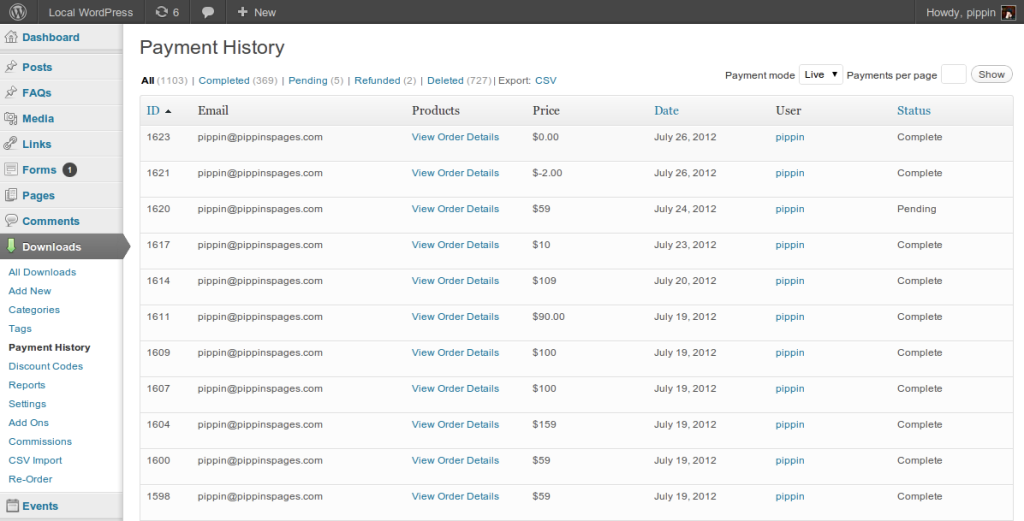
The WP List Table is what we call the table of data that is displayed when you click on any post type in WordPress. For example, click on Posts and this will display a table listing all of the posts (or perhaps the latest 20) that you have created in WordPress. In this tutorial, we are going to look at how to create tables like this for our own custom data in plugins.
I use list tables anytime I need to show data in a plugin’s admin pages. Take a look at the screenshots below to see some real examples I have built.
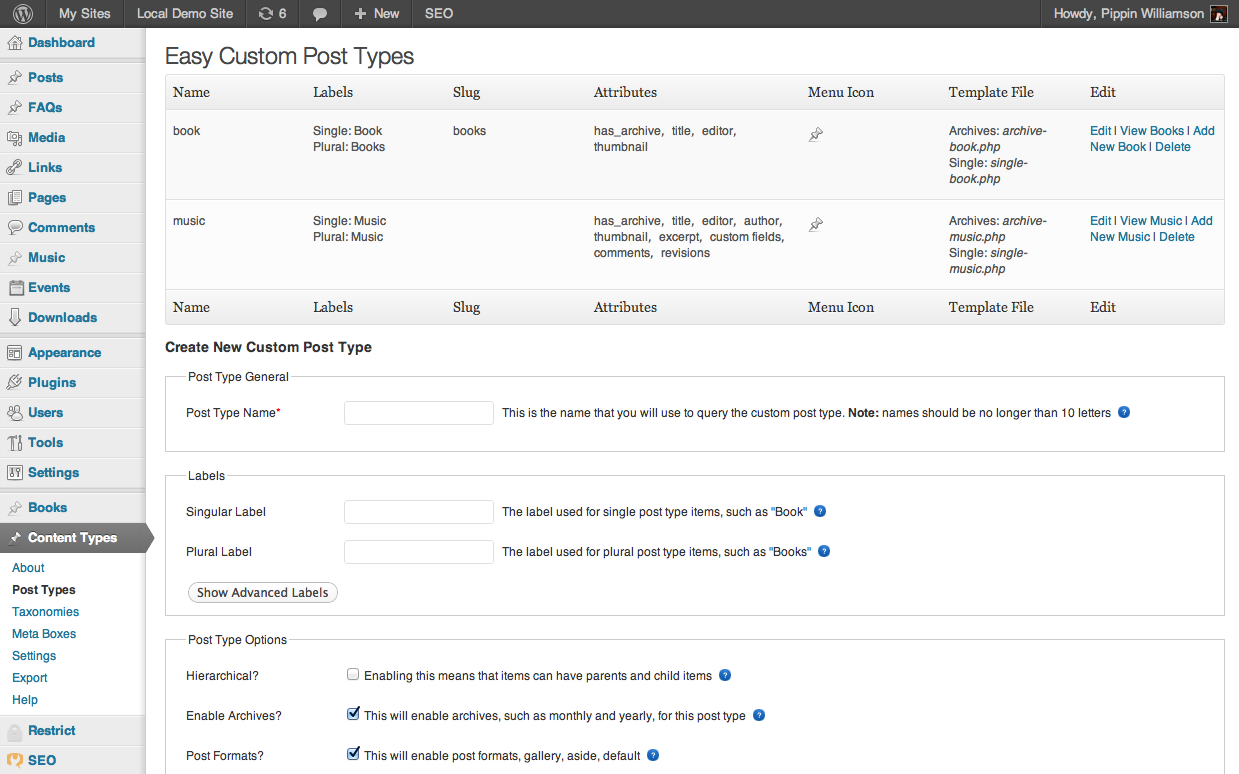

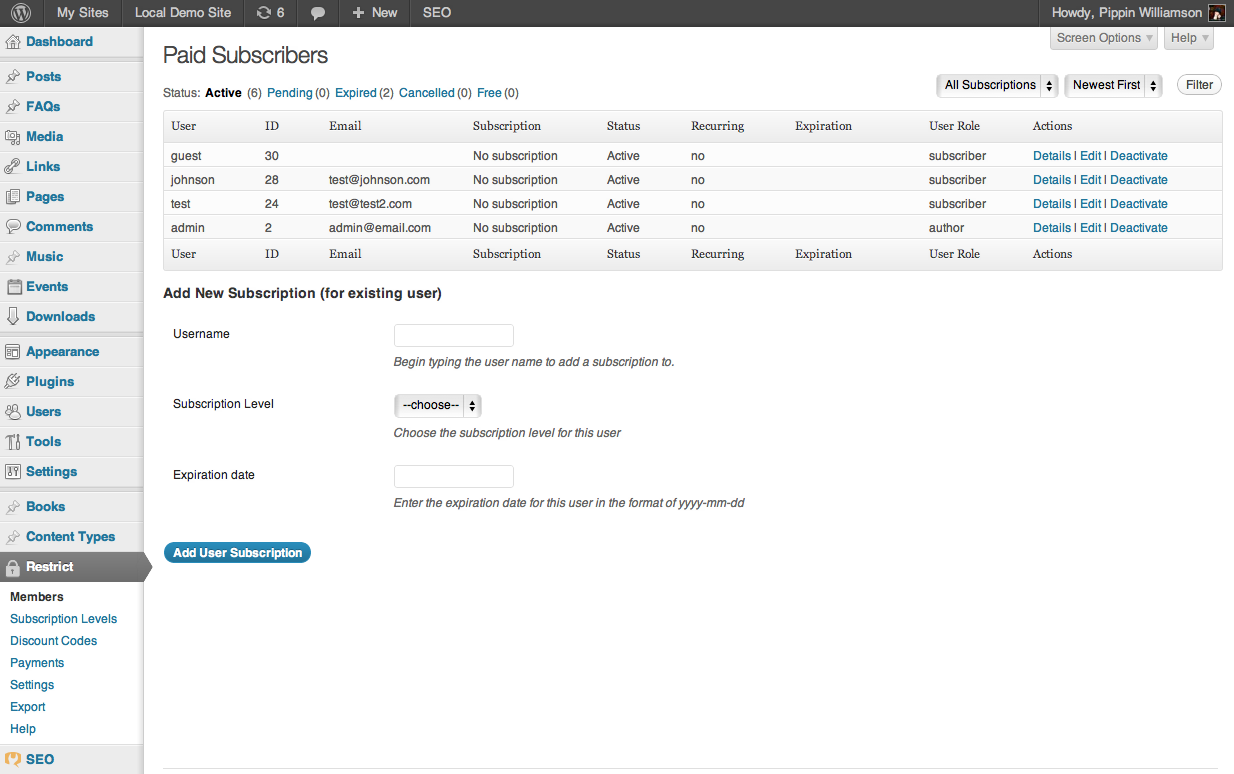
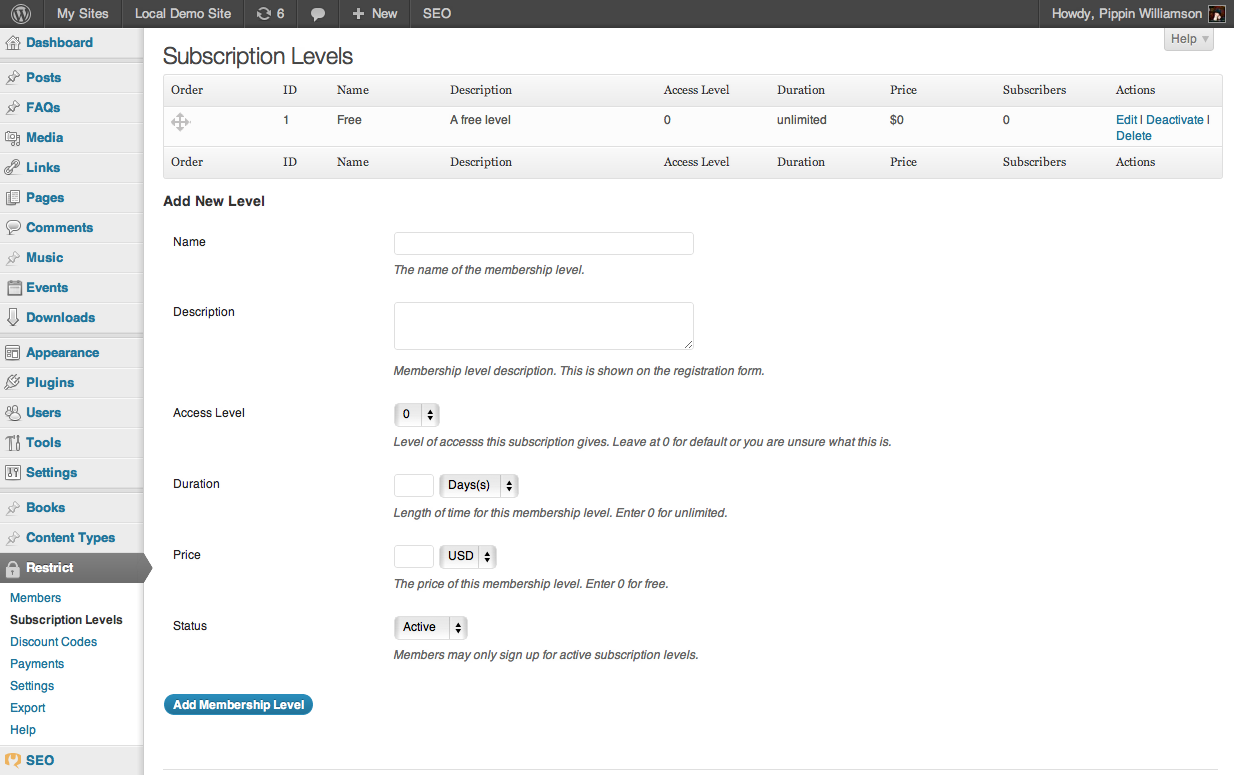
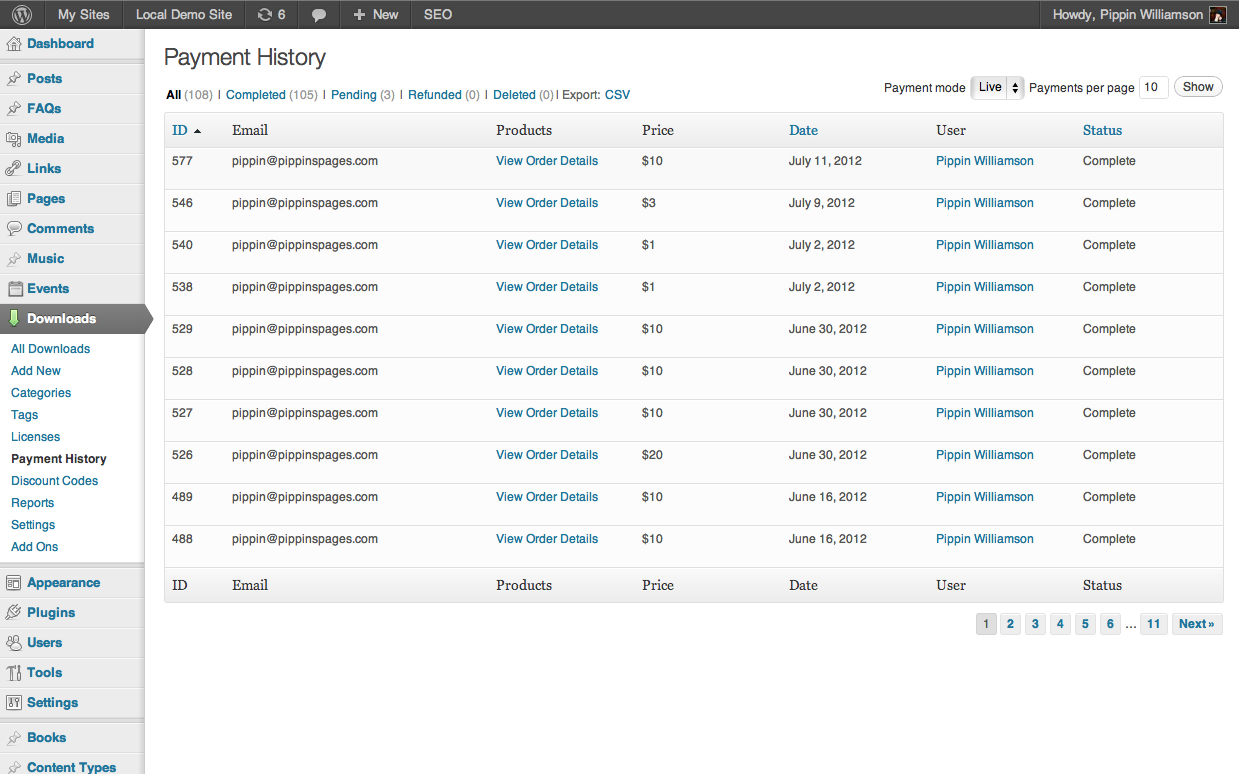
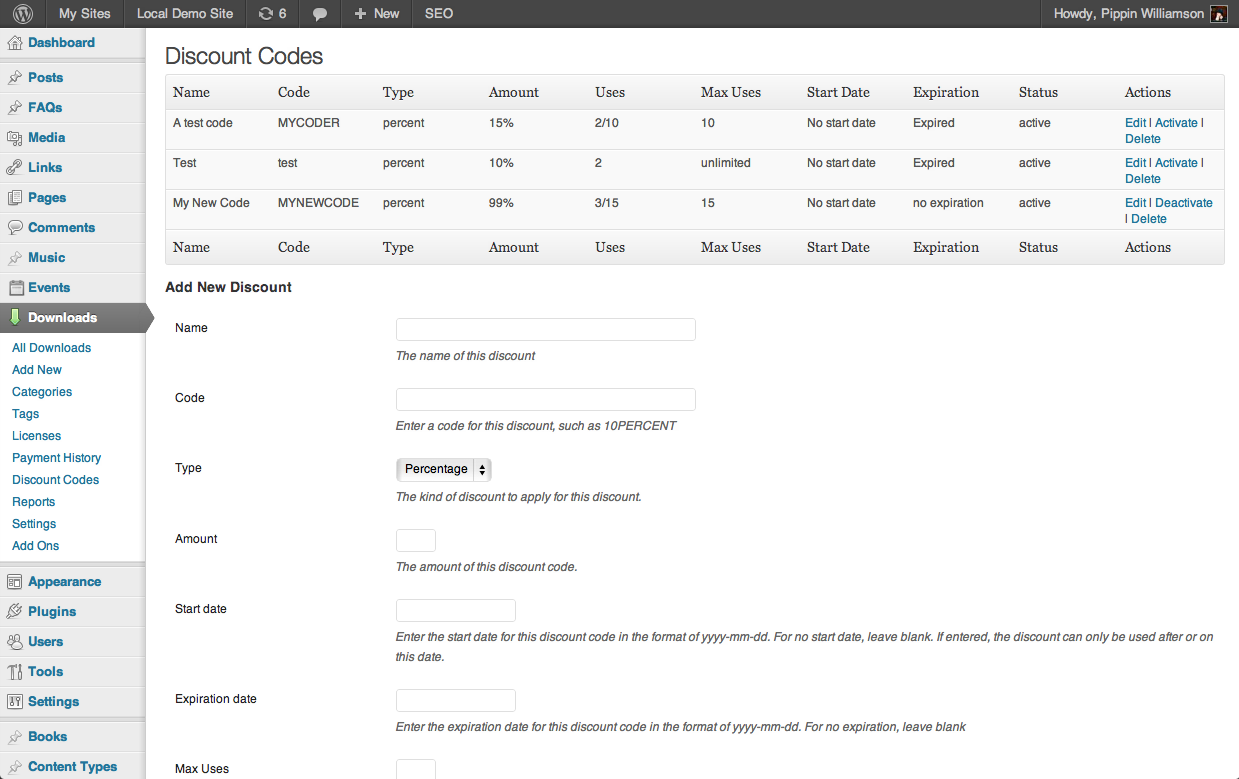
There are several great reasons to display your data in a list table like these:
- Stays true to the WordPress core UI
- Requires zero custom CSS
- Takes less time to create than custom interfaces
Personally, I would say there are very, very few instances (if any) where you should not use a WP List Table for displaying data in your plugin, assuming the data is suited for a table/list layout. With that in mind, let’s take a look at the basic HTML:
1 2 3 4 5 6 7 8 9 10 11 12 13 14 15 16 17 18 19 20 21 22 23 24 25 26 27 28 29 30 31 32 | <table class="wp-list-table widefat fixed posts"> <thead> <tr> <th><?php _e('Column Name', 'pippinw'); ?></th> <th><?php _e('Column Name', 'pippinw'); ?></th> <th><?php _e('Column Name', 'pippinw'); ?></th> <th><?php _e('Column Name', 'pippinw'); ?></th> </tr> </thead> <tfoot> <tr> <th><?php _e('Column Name', 'pippinw'); ?></th> <th><?php _e('Column Name', 'pippinw'); ?></th> <th><?php _e('Column Name', 'pippinw'); ?></th> <th><?php _e('Column Name', 'pippinw'); ?></th> </tr> </tfoot> <tbody> <tr> <td><?php _e('Column Data', 'pippinw'); ?></td> <td><?php _e('Column Data', 'pippinw'); ?></td> <td><?php _e('Column Data', 'pippinw'); ?></td> <td><?php _e('Column Data', 'pippinw'); ?></td> </tr> <tr> <td><?php _e('Column Data', 'pippinw'); ?></td> <td><?php _e('Column Data', 'pippinw'); ?></td> <td><?php _e('Column Data', 'pippinw'); ?></td> <td><?php _e('Column Data', 'pippinw'); ?></td> </tr> </tbody> </table> |
It is nothing more than a table with a few specific class names, a table header and footer, and then a table body with the data rows.
When using a list table in your plugin, it will probably be structured something like this:
1 2 3 4 5 6 7 8 9 10 11 12 13 14 15 16 17 18 19 20 21 22 23 24 25 26 27 28 29 30 31 32 33 34 35 36 37 | <table class="wp-list-table widefat fixed posts"> <thead> <tr> <th><?php _e('First Column', 'pippinw'); ?></th> <th><?php _e('Second Column', 'pippinw'); ?></th> <th><?php _e('Third Column', 'pippinw'); ?></th> </tr> </thead> <tfoot> <tr> <th><?php _e('First Column', 'pippinw'); ?></th> <th><?php _e('Second Column', 'pippinw'); ?></th> <th><?php _e('Third Column', 'pippinw'); ?></th> </tr> </tfoot> <tbody> <?php $data_array = array('....'); // this array holds all of your data if( !empty( $data_array ) ) : foreach( $data_array as $row ) : ?> <tr> <td><?php echo $row['column_one_key']; ?></td> <td><?php echo $row['column_two_key']; ?></td> <td><?php echo $row['column_three_key']; ?></td> </tr> <?php endforeach; else : ?> <tr> <td colspan="3"><?php _e('No data found', 'pippinw'); ?></td> </tr> <?php endif; ?> </tbody> </table> |
All of the table rows are usually contained within an array, and then that array is looped through in order to show the information associated with each individual row or item in the table.
That’s it and this is all you need to create your basic table with all of the core WordPress styles.
Here are some tips for going further and creating more interactive tables:
1. To create “status” options (All, Published, Pending, etc), create an unordered list with the class of “subsubsub”, like this:
1 2 3 4 5 6 7 8 9 10 11 12 13 14 | <ul class="subsubsub"> <li class="all"> <a href="#" class="current"> <?php _e('All'); ?> <span class="count">(1)</span> </a> | </li> <li class="publish"> <a href="#"> <?php _e('Active'); ?> <span class="count">(5)</span> </a> </li> </ul> |
You will have to add in your own query arguments and such, but that is the basic HTMl. This should be placed above your list table.
2. To paginate your data table, use the awesome paginate_links() function.
3. To make a column sortable, add classes like this:
1 2 3 4 5 6 | <th class="manage-column column-title sortable"> <a href="add_query_args_here">Sortable (but not sorted)</a> </th> <th class="manage-column column-title sortable sorted"> <a href="add_query_args_here">Sortable (and currently sorted)</a> </th> |
4. To automate the table creation process, look into using the WP_List_Table class. I’m going to cover this class in a tutorial some time in the near future, so stay tuned.
Have questions about using list tables in your plugins, perhaps on creating more interactive tables? Just ask!
Thanks for this amazing tutorial Pippin! As far as I see it’s just a matter of using the core CSS classes, which brilliant because it can save so much development time.
Pippin,
Have you created any ajax searching tools for the WP post tables? We are looking to create this but couldn’t find any real-world examples around the WP community. Basically looking to search on custom field meta and categories etc in a header filter box above the post table for a custom post type. Thanks for tutorial.
No I haven’t, sorry.
Leland, check out WP Datatables plugin.
I would love a simple way of adding a function so that say if a status checkbox ( three columns and each being a selectable status with a radio button type checkbox ( only one selected at a time ) ( i.e., in progress, almost done, and done) when a checkbox is clicked then the user/email (the email will be another field in the same row ) is then emailed with new status of that row/data…
Not quite following. Can you elaborate?
http://www.logo-business.com/elite/files/2012/10/Untitled-1.jpg
here is a pic of what i’m wanting to do…. After that is done i would like to add a ping that will email or notify me of changes in subscription so that the members status is updated in other website/software…
sorry for typos – on some heavy meds – : )
Ah no, editing directly in the columns like that is very difficult.
awesome post by the way! – thank YOu!
one word – piklist – : ) shhhhhh!!!! don’t tell anyone else! -lol I’m going to have this ready by morning – if it does what it says it will do! array away thru the night! Check it !!! http://wordpress.org/extend/plugins/piklist/ Been using types and views plugin along with cred to try and get some headway on project and feel http://wordpress.org/extend/plugins/piklist/ is what i’ll try tonight! then I’ll learn the code needed as i go!!! : )
Hi,
Can this be used outside the admin inteface? I want to add a plugin that shows some table data to end users.
Dan
It probably could but I would not advise it.
Is there an update on this post? I badly need it for the current version of WP. I know this is the best post i’ve seen so far. 😀
It’s still valid and works fine 🙂
Is the sortable column column working? I can’t quite get it. 🙁
I’m sorry but this tutorial does not include any filtering or sorting.
What about part 3 your tutorial? It says that “To make a column sortable”. I would like to ask if this part still works? But displaying the table works perfect for me by the way. Thanks. 😀
No sorry, I don’t have plans to write that tutorial anytime soon.
I am using TablePress wordpress plugin on my site http://www.brightverge.com bcoz TablePress enables you to create and manage tables, without having to write HTML code, and it adds valuable functions for your visitors. Just go to wordpress.org and install plugin free.
Hey Pippins, how would you actually call the posts in the admin. For example where you say $data_array = array(‘….’); I want to show all custom post types. I tried to do something like $args = array(‘cpt1’, ‘cpt2’, ‘etc); and create a new query but seems this is not the way. Thanks!
Would love to see a follow up on this using real data.
I found an example here, but it doesn’t have filters or screen options.
http://mac-blog.org.ua/wordpress-custom-database-table-example-full/